Golf Buggy Battery Overheating: Causes, Risks, and Prevention
Reading time: 10 minutes

Share
If you step out of a golf buggy after a hot day, lift the seat, and feel heat coming from the battery compartment, it does not always mean something is wrong. Golf cart and golf buggy batteries can become warm during normal use. But when the battery, cable, charger, or terminal becomes excessively hot, it is a sign that the system is under stress.
Overheating can happen during charging, long hill climbs, heavy passenger loads, commercial use, or hot summer weather. It can also appear in older carts stored through damp winters, used on hilly sites, or maintained with corroded terminals and ageing battery packs.
For European golf clubs, holiday parks, campsites, resorts, estates, farms, and private users, understanding battery heat helps prevent range loss, early battery failure, charger problems, and safety risks.


Do Golf Cart Batteries Overheat in Normal Use?
A golf cart battery can warm up during normal driving or charging. Current flows through the battery, cables, charger, and controller, and some of that energy naturally becomes heat. Mild warmth is expected.
Overheating is different. It usually means the system is operating outside its comfortable range or that electrical resistance is creating heat where it should not. The two most common patterns are:
- The battery is being charged or discharged harder than it should be.
- A cable, terminal, charger plug, or connector is wasting energy as heat because of resistance.
Resistance is often the hidden cause. A loose terminal, corroded cable end, ageing lead-acid battery, or undersized wire can become hot even during normal driving. Add hills, passengers, soft ground, or high ambient temperature, and the battery compartment can heat up quickly.
As a simple rule, warm is normal, but too hot to keep your hand on is a warning sign. A basic infrared thermometer can help you check battery case, terminal, and cable temperatures without relying on guesswork.
Common Causes of Golf Cart Battery Overheating
Most overheating problems have practical causes. Identifying the source early can prevent battery damage and avoid unnecessary replacement.
Charging-Related Causes
- Wrong charger or profile: Lead-acid and lithium batteries require different charging profiles. A mismatched charger can create excess heat, undercharging, overcharging, or early failure.
- Charging in a hot or closed space: A battery charged inside a sealed shed, utility room, garage, or service bay with little airflow can trap heat.
- Extended overcharging: Lead-acid systems can build heat when a charger runs too long or does not manage float and absorption stages correctly.
- Charging immediately after heavy use: A buggy that has just climbed hills or carried passengers is already warm. Charging straight away adds more heat.
High-Load Driving
- Long climbs and passenger loads: Golf clubs, estates, resorts, and campsites often use buggies on slopes or long routes. This increases current draw.
- Stop-start driving: Repeated acceleration creates current spikes that heat batteries, controllers, and cables.
- Soft ground or wet grass: Higher rolling resistance makes the motor work harder and pulls more current from the battery pack.
Battery Age and Internal Resistance
- Older lead-acid batteries: Ageing batteries develop higher internal resistance, which turns more energy into heat.
- Weak batteries in a pack: One weak battery can force the rest of the system to work harder and may heat more than the others.
- Lithium pack stress: Lithium batteries can also overheat if pushed beyond their rated output or installed with poor wiring, although quality systems should include BMS protection.
Wiring and Connection Problems
- Loose terminals: A loose battery terminal is one of the quickest ways to create local heat.
- Corrosion: Dirty or corroded connections increase resistance and reduce charging efficiency.
- Undersized cables: Cables that are too small for the current load can overheat.
- Damaged lugs or connectors: A worn terminal block, charger port, or cable end can become hotter than the battery itself.
Can Hot Weather Cause Golf Cart Batteries to Overheat?
Yes. Hot weather can make overheating more likely because the battery starts warmer, sheds heat more slowly, and is often used harder during peak season.
First, a buggy parked in direct sun can become heat-soaked before use. The battery compartment, cables, charger port, and controller may already be warm before the first drive.
Second, many golf buggy battery compartments have limited airflow. Heat can remain trapped under the seat, especially if the vehicle is plugged in immediately after driving.
Third, hot weather often means heavier use. Golf clubs, holiday parks, campsites, and resorts may run carts for longer shifts, more passengers, and more frequent charging cycles.
A simple habit can reduce risk: let the buggy cool for 20–30 minutes after heavy driving before charging. Parking in shade and improving airflow during charging also helps.
Lithium vs Lead-Acid: Overheating Risks Explained
Lead-acid and lithium batteries can both overheat, but the causes and warning signs are different.
Lead-acid overheating often appears as:
- Heat during charging, especially when ventilation is poor
- Water loss in flooded batteries
- Corrosion around terminals and cable ends
- Long or inconsistent charging cycles
- Reduced lifespan from repeated high-temperature exposure
Lithium overheating is more often linked to:
- High current draw beyond the battery’s design limit
- Low-quality packs with weak thermal protection
- Charging outside the safe temperature range
- Poor wiring, undersized cables, or high-resistance connections
- Heavy-duty use on hills or long routes without enough cooling time
A key advantage of many lithium systems is the Battery Management System (BMS). The BMS monitors voltage, current, and temperature. If the pack gets too hot, it can reduce output or disconnect to protect the battery.
Golf Cart Battery Temperature Ranges
| Battery Type | Typical Charging Temperature Guidance | Typical Discharge Temperature Guidance | When to Pause and Cool Down |
|---|---|---|---|
| Lead-Acid | Up to about 50°C, depending on manufacturer guidance | Up to about 50°C | If the case approaches about 45°C during charging, improve ventilation and cool the pack |
| Lithium LiFePO4 | Often about 0°C to 45°C | Often about -20°C to 60°C | If the BMS limits or disconnects due to temperature, stop use and inspect the cause |
Tip: An infrared thermometer is enough for basic checks. Compare temperatures across the pack. One hot terminal, cable, or battery is more useful information than one single temperature reading.
Warning Signs of an Overheating Golf Cart Battery
Battery overheating does not always announce itself dramatically. The earliest signs are usually subtle.
Physical signs you can feel or smell:
- The battery case is too hot to keep your hand on.
- One cable end or terminal is much hotter than the rest.
- There is a chemical smell around lead-acid batteries.
- You smell hot wiring insulation or plastic.
- A cable looks discoloured, stiff, or heat-damaged.
Performance signs while driving:
- The buggy starts normally, then becomes sluggish.
- Driving range drops suddenly.
- The vehicle struggles more than usual on hills.
- Lights or accessories flicker under load.
- The system limits power or shuts down during heavy use.
Charging behaviour signs:
- The charger runs unusually long.
- The charger stops unexpectedly or shows an error.
- The charger plug or charging socket becomes very hot.
- Lithium systems show BMS protection events.
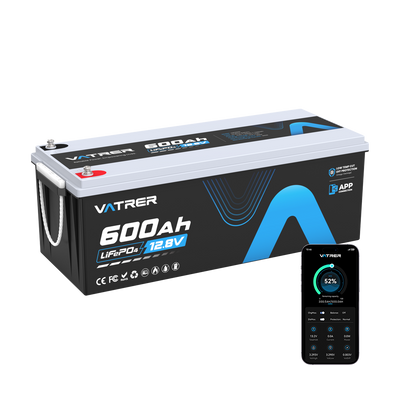
- Vatrer lithium golf cart battery systems with Bluetooth and monitor support can help users view voltage, current, temperature, and state of charge in real time.
Tip: Local heat usually points to a local fault. If one connector or cable is hot while the rest of the battery bank is normal, check the connection first.
How to Prevent Golf Cart Battery Overheating
Preventing overheating is mostly about reducing electrical stress and giving heat somewhere to escape.
Use driving habits that reduce heat buildup:
- Give the buggy short rests during long hill climbs.
- Avoid repeated hard acceleration with passengers or cargo.
- Reduce speed on soft ground, wet grass, gravel, or steep tracks.
- Park in shade during hot weather when possible.
- Do not overload the vehicle beyond its intended use.
Charge the smart way:
- Charge in a ventilated area, not a sealed shed or hot service room.
- Let the buggy cool after heavy driving before charging.
- Match the charger to the battery chemistry and voltage.
- Lithium batteries require a dedicated LiFePO4 charger, while lead-acid batteries require the correct lead-acid charging method.
- Inspect charger plugs, sockets, and cables for heat marks or looseness.
Keep electrical resistance low:
- Keep terminals clean and properly tightened.
- Remove corrosion before it spreads into cable lugs.
- Replace damaged cables, terminals, or connectors.
- Use cable sizes suitable for the current demand of the vehicle.
- Inspect insulation for stiffness, cracking, or heat discolouration.
Monitor what matters:
For lithium systems, use Bluetooth monitoring or a display to track temperature, current, and state of charge. This is especially useful for commercial fleets, golf clubs, resorts, and estate vehicles used for long periods each day.
What to Do If Your Golf Cart Battery Is Overheating
If you suspect overheating, the first step is to stop adding stress. Then inspect the system carefully.
Step 1: Stop driving or charging
- If you are driving, slow down, reduce load, and stop in a safe place.
- If you are charging, unplug the charger and allow the system to cool in a ventilated area.
- Do not cover the battery compartment while it is cooling.
Step 2: Check the heat pattern
- If the whole battery pack is hot, the issue may be workload, ambient heat, poor ventilation, or charging behaviour.
- If heat is concentrated at one cable or terminal, the likely cause is a high-resistance connection.
- If one battery is hotter than the others, it may be weak, failing, or out of balance.
Step 3: Inspect likely causes
- Loose or corroded terminals
- Damaged cable lugs or undersized cables
- Incorrect charger type or settings
- Ageing lead-acid batteries
- High current demand from hills, passenger loads, or modified controllers
Step 4: Know when to stop DIY
- If you see melting insulation, swelling, leaking, sparks, burn marks, or repeated shutdowns, stop using the buggy until it is inspected.
- If a lithium pack repeatedly cuts out due to temperature protection, do not keep resetting and driving. The BMS is warning that something is wrong.
Quick Troubleshooting Reference
| Symptom | Most Likely Cause | First Step |
|---|---|---|
| One terminal or cable end is very hot | Loose, corroded, or high-resistance connection | Stop use, clean and tighten connection, replace damaged lug or cable |
| Whole pack is hot after charging | Poor ventilation, high temperature, overcharging, or wrong charger profile | Allow cooling, improve airflow, confirm charger compatibility |
| Battery gets hot on hills or with passengers | High current draw, ageing battery, undersized cables, or heavy load | Reduce load, inspect cables, test batteries, review battery current rating |
| Lithium battery cuts out from temperature protection | BMS is limiting output due to heat or high current | Let the pack cool, inspect wiring, reduce load, verify battery specifications |
Can Upgrading Batteries Help Reduce Overheating Issues?
Sometimes overheating is solved with maintenance. Cleaning terminals, replacing damaged cables, improving airflow, or using the correct charger may be enough. But if the battery system is old or no longer suitable for the way the buggy is used, upgrading can help.
Older lead-acid packs often run hotter as internal resistance increases. Lithium batteries can provide steadier voltage, lower weight, faster charging, and protection features that help prevent silent damage. However, lithium still needs to be matched to the vehicle’s current demand, controller settings, terrain, and charging system.
The Vatrer lithium golf cart battery range includes intelligent BMS protection, Bluetooth monitoring, IP-rated protection on selected models, matched chargers in many kits, and power-off protection features to support safer and easier upgrades.
Tip: For golf clubs, holiday parks, estates, farms, and resorts, choose a battery based on continuous discharge capability, peak current, thermal protection, and monitoring. Do not choose only by Ah rating.
Final Thoughts
Golf cart batteries overheat when the system faces too much load, too much resistance, or too much trapped heat. Mild warmth is normal. Excessive heat at the battery, charger, terminal, or cable is a warning sign that should be investigated.
The most effective prevention plan is simple: use the correct charger, charge in a ventilated area, keep connections clean and tight, avoid hard driving followed immediately by charging, and monitor temperature where possible.
For occasional use, good maintenance may solve most overheating issues. For frequent golf club, campsite, estate, resort, farm, or utility use, a properly matched lithium battery system can reduce maintenance and provide better visibility into battery health.
Share