





Smart Energy Control at Your Fingertips
Vatrer App is designed to help users easily monitor, manage, and optimize their battery performance. Whether you are using Vatrer batteries for golf carts, RVs, solar storage, or other energy systems, the app provides clear data, simple controls, and reliable system insights.


After receiving your Vatrer battery, locate the Bluetooth ID on the label attached to the battery housing.


Turn on Bluetooth on your mobile phone and open the Vatrer App.


Pull down to refresh the nearby device list or use the scan battery label in the top-right corner to search for nearby batteries.


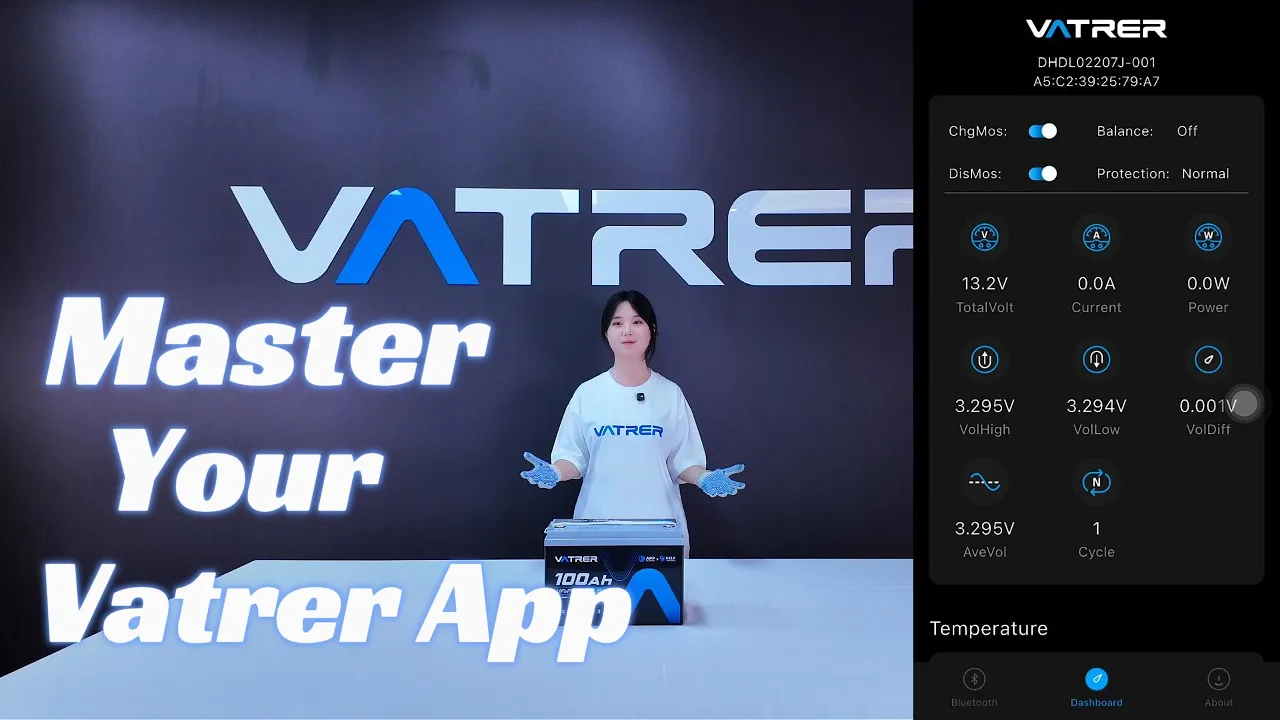
Once connected, enter the Dashboard (Panel) to view all battery data and system status in real-time.
Key Features of the Vatrer App


Real-Time Monitoring
After connecting to the phone via Bluetooth, instantly view battery voltage, current, power output, and temperature to stay informed at all times.

Battery System Insights
Through the Vatrer app, monitor internal battery conditions, including overall temperature, individual cell status, and cycle life data.

Multiple Battery Management
Easily switch between and manage multiple Vatrer batteries within one app interface.

Personalized Settings
Adjust regional settings and temperature units to match your location and personal preferences.
Download the Vatrer App
Simply search for “Vatrer” to download the app, or scan the QR code below to access the download.





- Reliable Power, Empowering Lives.
- Vatrer specializes in LiFePO4 lithium batteries for golf carts, RVs, home energy storage, and off-grid applications, designed for reliable performance and long-term use.
