How Reliable Is Your Golf Cart Battery Gauge? What the Reading Really Means
Reading time: 10 minutes

Share
Most golf cart owners have seen it happen. The battery gauge says 50%, so you keep driving around the course, campground, cottage road, or private property. Then, without much warning, the display drops close to empty and the cart suddenly feels weak.
That does not always mean the gauge is broken. In many cases, the battery level display is showing a useful estimate, but not an exact measurement of how much usable range you have left. Golf cart battery level accuracy depends on battery type, load, temperature, driving conditions, and the way the cart measures charge.
For Canadian users, this matters even more because carts may be used in spring, summer, fall, and sometimes cold shoulder-season weather. Hills, passengers, wet turf, cottage terrain, and colder temperatures can all make the battery reading move differently than expected.


How Accurate Is a Golf Cart Battery Level in Real Use?
A golf cart battery level indicator is usually useful, but it is rarely perfectly accurate while the cart is moving. If the gauge shows full, you probably have plenty of charge. If it shows low, you should take it seriously. The confusing part is the middle range, where a display may show 40%, 50%, or 60% even though your remaining usable range is not that simple.
The main reason is that many golf cart gauges estimate charge from voltage. Voltage changes constantly while you drive. It drops when you accelerate, climb hills, carry passengers, or drive through soft ground. It may recover after the cart rests. It can also look lower in cold weather.
For everyday use, this means:
- A voltage-based gauge may be off by 10% to 20% during normal driving.
- The middle range is usually less reliable than full or low readings.
- Lead-acid gauges can jump around because voltage changes with load and recovery time.
- Lithium batteries with BMS-based SOC monitoring usually provide a steadier and more useful reading.
- A single percentage snapshot should not be treated as a guaranteed range estimate.
The best way to read your battery level is to watch the trend. If the level drops only on hills and recovers on flat ground, that may be normal. If it drops sharply and the cart feels weak, the battery pack may need testing.
How Golf Cart Battery Level Is Measured
A golf cart battery gauge is not the same as a fuel gauge in a car. It does not directly measure liquid fuel in a tank. It estimates remaining charge based on electrical behaviour.
Voltage-based estimation
Many stock golf cart gauges are basically voltage meters with a more user-friendly display. They read battery pack voltage and convert that number into bars or a percentage.
This approach is simple and common, but it has limits. When the cart is under load, voltage drops. When the cart stops, voltage can rise again. That is why a gauge may fall quickly during acceleration and then climb back slightly after a short rest.
BMS-based state of charge
Many lithium LiFePO4 golf cart batteries use a Battery Management System, or BMS, to estimate state of charge more directly. Instead of relying only on voltage, the BMS monitors charging, discharging, current, temperature, and battery protection data.
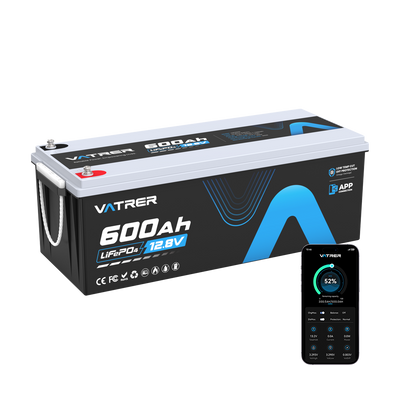
A modern Vatrer golf cart battery can support monitoring through display or app-style data, allowing users to track SOC, voltage, current, and temperature in real time. This gives a much clearer picture than a simple voltage gauge.
Key Terms to Understand
| Term | What It Means | Why It Matters |
|---|---|---|
| Voltage | The electrical pressure of the battery pack | Easy to measure, but changes with load and temperature |
| SOC | State of charge, or estimated remaining battery percentage | More useful for planning range when measured properly |
| Voltage sag | A temporary voltage drop under load | Can make the gauge look lower during acceleration or hill climbs |
| Recovery | Voltage rising after the cart rests | Can make a lead-acid battery look stronger than it really is |
| BMS | Battery Management System | Helps monitor and protect lithium batteries |
Why Golf Cart Battery Level Readings Can Be Inaccurate
Most battery gauges are not intentionally misleading. They are often answering a slightly different question. The gauge may be telling you what the battery voltage looks like right now, not exactly how far you can still drive.
Common reasons battery readings become inaccurate include:
- Heavy load: Accelerating, climbing hills, towing, or carrying passengers can cause voltage sag.
- Battery recovery time: Lead-acid batteries need time to settle after charging or driving before voltage becomes more meaningful.
- Cold weather: Lower temperatures reduce battery performance and can make readings look worse.
- Weak batteries in a series pack: One weak lead-acid battery can drag down the whole pack.
- Old battery capacity: A worn battery may still charge to full voltage but no longer store much usable energy.
- Gauge compatibility: After switching from lead-acid to lithium, the original gauge may not read correctly unless it is compatible with the new battery type.
Normal vs Problem Behaviour
| What You See | Likely Meaning | What to Do |
|---|---|---|
| Gauge drops on a hill, then recovers on flat ground | Normal voltage sag under load | Watch the trend over time |
| Gauge drops hard and stays low | Battery may be weak or deeply discharged | Test pack voltage and individual batteries |
| Gauge shows full but cart dies quickly | Capacity loss or surface charge | Load test the battery pack |
| Gauge jumps around after a lithium conversion | Gauge may not match lithium voltage curve | Use BMS SOC or a lithium-compatible meter |
| Cart feels weak even when the gauge is mid-level | Possible voltage sag, weak cell, or aged pack | Inspect batteries, cables, and connections |
Lead-Acid vs Lithium: Why the Same Battery Level Can Mean Different Things
Lead-acid and lithium batteries behave differently, so their battery level readings should not be interpreted the same way.
Lead-acid batteries have a more noticeable voltage drop as they discharge. They are also more affected by load, recovery time, and temperature. This is why a lead-acid golf cart may look fine at rest but feel weak as soon as you press the accelerator.
LiFePO4 lithium batteries have a flatter voltage curve for much of the discharge cycle. This helps the cart maintain steadier power, but it also means voltage alone is not always the best way to estimate remaining charge. For lithium, BMS-based SOC is usually more useful than raw voltage.
Reference Voltage Values for a Typical 48V Golf Cart System at Rest
| Battery System | About 100% | About 50% | About 20% | Important Notes |
|---|---|---|---|---|
| 48V lead-acid pack | About 50.9 - 51.2V | About 48.4V | About 46.8V | Needs rest time; voltage drops more under load |
| 51.2V LiFePO4 pack | Up to about 58.4V after full charge | About 52.2V | About 50.4V | Flatter voltage curve; BMS SOC is better for daily use |
For lead-acid batteries, use resting voltage and individual battery checks to confirm condition. For lithium batteries, use the BMS display, app, or SOC monitor whenever available.
When You Should Not Trust the Battery Level Display
A battery gauge is helpful, but there are times when you should not rely on it alone. Certain patterns suggest the display is either inaccurate or warning you about a real battery issue.
Be cautious if you notice:
- The gauge shows 50% or more, but the cart cannot complete its usual route.
- The level drops in large chunks, such as from 60% to 30% within a short time.
- The level rises noticeably after the cart sits for a few minutes.
- The reading changes wildly from one day to the next on the same route.
- The display stays stuck on full or empty.
- The cart slows down even though the gauge still shows a comfortable charge.
- The gauge became unreliable after replacing batteries or converting to lithium.
What the Symptoms Usually Mean
| Symptom | Possible Cause | Suggested Check |
|---|---|---|
| Shows full but dies fast | Surface charge, lost capacity, or weak battery | Perform a load test |
| Drops hard under throttle | Voltage sag or weak pack | Check voltage under load |
| Jumps up after stopping | Lead-acid voltage recovery | Check resting voltage after the battery settles |
| Stuck on full or empty | Gauge, wiring, or compatibility issue | Inspect wiring and meter type |
| Cart weak on flat ground | Aged battery, poor cable connection, or imbalance | Test batteries and clean connections |
How to Check Your Golf Cart Battery More Accurately
You do not need complicated equipment to get a better picture of battery condition. The key is to measure the right thing at the right time.
Check resting voltage
For lead-acid batteries, let the cart sit for 10 to 30 minutes after driving or charging before checking pack voltage. This reduces the effect of load and surface charge. For the most accurate reading, make sure the cart is not actively drawing power.
Test individual batteries in a lead-acid pack
If your cart uses several 6V, 8V, or 12V lead-acid batteries in series, test each battery individually. One weak battery can make the whole pack sag and cause the gauge to drop suddenly.
Use a repeatable route test
Drive the same route with the same load and similar speed. If the battery level drops much faster than before or the cart struggles on familiar hills, the battery pack may be losing capacity.
Use BMS data for lithium batteries
If your lithium battery includes Bluetooth, an LCD monitor, or a SOC display, use that data first. SOC, current draw, voltage, and temperature together provide a much better picture than voltage alone.
Check cables and connections
Loose, corroded, or undersized cables can cause voltage drop and make the battery appear weaker than it is. Clean terminals and tight connections help the cart use battery power more efficiently.
Practical Testing Methods
| Method | Best For | What It Tells You |
|---|---|---|
| Resting voltage check | Lead-acid battery packs | More reliable state-of-charge estimate |
| Individual battery test | Series lead-acid packs | Identifies one weak battery dragging down the pack |
| Load test | Any battery type | Shows whether voltage collapses under real demand |
| BMS SOC reading | LiFePO4 lithium batteries | Shows a clearer charge estimate and operating data |
| Repeat route test | Daily use and range planning | Shows whether real-world runtime is changing |
Tip: If you check a lead-acid battery right after charging, the reading may look falsely high because of surface charge. Let the battery rest or apply a small load briefly before checking again.
How Better Battery Monitoring Improves Daily Golf Cart Use
Accurate battery monitoring is not just for technically minded owners. It makes everyday driving easier and more predictable.
Better monitoring helps with:
- Range planning: You can decide whether the cart can handle another loop, another 9 holes, or another trip around the property.
- Fewer surprise shutdowns: Sudden drops are easier to understand when you can see SOC and current draw.
- Healthier charging habits: Clear battery data helps avoid over-discharge and poor storage habits.
- Fleet reliability: Golf courses, campgrounds, campuses, and communities can reduce downtime by spotting weak batteries sooner.
- Cold-weather awareness: Canadian users can better understand how temperature affects battery performance.
Battery Level Tools Ranked by Planning Usefulness
| Monitoring Method | Accuracy for Range Planning | Best Use | Limitations |
|---|---|---|---|
| Basic bar gauge | Low to moderate | Quick glance while driving | Often voltage-based and load-sensitive |
| Digital voltmeter | Moderate | Checking pack voltage | Needs rest time to be meaningful on lead-acid |
| Individual battery testing | High for diagnosis | Finding weak lead-acid batteries | Requires testing each battery |
| BMS SOC display | High | Lithium battery monitoring | Depends on BMS quality and calibration |
| Bluetooth or app monitoring | High | Tracking SOC, current, voltage, and temperature | Available mainly on supported lithium systems |
Conclusion
A golf cart battery level reading is useful, but it is not always exact. If your gauge is voltage-based, it will react to hills, acceleration, passengers, temperature, and battery recovery. Treat it as a trend, not a perfect range prediction.
For lead-acid carts, resting voltage checks and individual battery testing provide a more honest picture. For lithium carts, BMS-based SOC readings are usually easier to trust for daily range planning.
If you want to make battery tracking easier, Vatrer lithium golf cart batteries offer plug-and-play lithium replacement options with real-time battery data tracking. With clearer SOC, voltage, current, and temperature information, you can reduce guesswork and enjoy a more predictable golf cart driving experience.
Share