Golf Cart Battery Wiring Guide: Safe 36V, 48V & Lithium Connections
Reading time: 20 minutes

Share
Wiring golf cart batteries correctly starts with one rule: match the cart’s voltage first, then follow the correct battery layout, confirm polarity with a multimeter, secure every cable, and test the system before driving. Whether your cart is used on a golf course, at a cottage, in a campground, around a farm, or inside a private community, a clean battery connection is essential for safe and reliable operation.
The most common mistake is assuming every golf cart battery hookup is the same. It is not. A 36V EZGO with six 6V lead-acid batteries, a 48V Club Car with six 8V batteries, and a Yamaha converted to one 51.2V LiFePO4 battery may look similar from the outside, but their charger wiring, solenoid connections, controller cables, accessory wiring, and battery monitoring setup can be very different.
This guide explains how to wire golf cart batteries safely, how series wiring works, how to connect 36V and 48V golf cart batteries, what changes with lithium battery upgrades, and how to check your work before putting the cart back into normal use.


Check Your Golf Cart Voltage Before Wiring Batteries
Before installing or replacing golf cart batteries, confirm the system voltage and original wiring layout. Do this before removing the old batteries, not after the cables are already loose.
Check these points first:
- Cart voltage: Most electric golf carts use 36V, 48V, or 72V systems.
- Battery chemistry: Flooded lead-acid, AGM, gel, or LiFePO4 lithium.
- Controller rating: The controller must match the battery pack voltage.
- Charger type: Lead-acid and lithium batteries need different charging profiles.
- Accessory wiring: Lights, horn, USB ports, turn signals, heaters, and radios usually need 12V power.
- Existing cable layout: Older carts may have been modified by previous owners or local repair shops.
Never install a higher-voltage pack just because it physically fits in the battery tray. A 48V battery pack connected to a 36V controller can damage the controller, solenoid, charger circuit, DC-DC converter, or dash meter. A 72V pack connected to a 48V cart can cause even more serious electrical failure.
Use the cart service manual first. Then compare it with the battery manufacturer’s wiring diagram. If the two do not match, stop and confirm the correct layout before connecting the main cables.
| Cart System | Common Lead-Acid Setup | Common Lithium Setup |
|---|---|---|
| 36V golf cart | 6 × 6V batteries in series | One 36V or 38.4V lithium pack, if supported |
| 48V golf cart | 6 × 8V batteries or 4 × 12V batteries in series | One 48V or 51.2V LiFePO4 pack |
| 72V golf cart | 6 × 12V batteries in series | One 72V lithium pack, if supported |
| 48V cart with 12V accessories | Main 48V pack plus DC-DC converter | Main 48V lithium pack plus DC-DC converter |
Cable colour can help, but it should never be your only proof. Red usually means positive and black usually means negative, but many older carts have replacement cables, faded insulation, or owner-made wiring changes. Always confirm polarity with a multimeter before making the final connection.
Golf Cart Battery Wire Basics
Golf cart battery cables carry high current. A standard 36V or 48V cart can draw 150A to 300A during acceleration, hill climbing, or heavy use. Lifted carts, larger tires, upgraded controllers, rear seats, cargo loads, and cottage-road driving can increase current demand even more.
These wiring terms are important:
- Series connection: Increases voltage while amp-hour capacity stays the same.
- Parallel connection: Keeps voltage the same while increasing amp-hour capacity.
- Main positive: The positive end of the battery pack that feeds the cart.
- Main negative: The negative end of the battery pack that returns to the controller or designated negative cable.
- Jumper cable: A short cable that connects one battery to the next in a series pack.
- DC-DC converter: A device that steps pack voltage down to 12V for accessories.
Do not mix batteries of different age, chemistry, voltage, capacity, or brand in the same pack. A mixed set may show the right total voltage while parked, but the weaker battery can drop quickly under load. This causes imbalance, heat, reduced range, and shorter pack life.
Lead-Acid vs Lithium Golf Cart Battery Wiring
Lead-acid and lithium golf cart batteries may connect to the cart through the same main positive and negative cables, but the wiring details can be very different.
| Wiring Area | Lead-Acid Battery Pack | Lithium Battery Pack |
|---|---|---|
| Main layout | Multiple 6V, 8V, or 12V batteries connected in series | Usually one integrated 36V, 48V/51.2V, or 72V pack |
| Jumper cables | Several interconnect cables between batteries | Usually fewer high-current cables |
| Charger wiring | Uses a lead-acid charging profile | Requires a lithium-compatible charging profile |
| Monitoring | Basic voltage meter or dash gauge | May use LCD display, app monitoring, or SOC meter |
| Protection | Depends on correct wiring, fuse, charger, and maintenance | Built-in BMS plus correct external wiring |
| 12V accessories | Sometimes incorrectly tapped from one battery | Should use a DC-DC converter |
| Series or parallel expansion | Common in lead-acid pack layouts | Only allowed if the lithium battery manual approves it |
Many “48V lithium” golf cart batteries are actually 51.2V nominal LiFePO4 packs. They normally use 16 cells in series at 3.2V nominal per cell. Their full charge voltage is often 58.4V because 16 × 3.65V = 58.4V.
If your 48V lithium golf cart battery comes with a 58.4V charger, that is normal for a 51.2V LiFePO4 pack. Do not replace it with an old lead-acid charger unless the battery manufacturer clearly states that it is supported.
Lithium systems may also require extra low-current connections beyond the two main power cables:
- Charger port harness
- LCD display or SOC meter cable
- Bluetooth app pairing
- Key switch or activation wire
- DC-DC converter input
- Communication cable on some systems
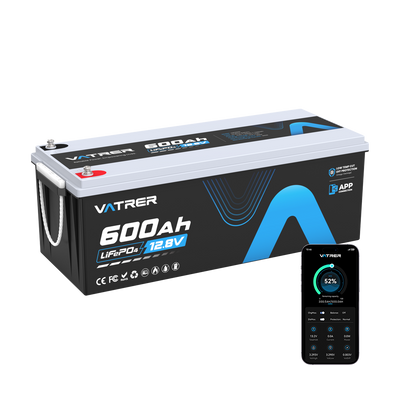
If you are installing a Vatrer golf cart lithium battery kit, follow the included wiring diagram instead of copying the old lead-acid cable layout. Many Vatrer golf cart kits support LCD or app monitoring, allowing you to check pack voltage, state of charge, current, and temperature rather than relying on a basic voltage gauge.

How to Wire Golf Cart Batteries in Series
Series wiring is the standard layout for many lead-acid golf cart battery packs. It raises voltage while keeping the same amp-hour capacity.
The series connection pattern is:
- Battery 1 positive connects to Battery 2 negative.
- Battery 2 positive connects to Battery 3 negative.
- Battery 3 positive connects to Battery 4 negative.
- Continue until every battery is linked.
- The two remaining open end terminals become the main pack positive and main pack negative.
Example: wiring four 12V batteries for a 48V golf cart
| Connection | Cable Path |
|---|---|
| Jumper 1 | Battery 1 positive to Battery 2 negative |
| Jumper 2 | Battery 2 positive to Battery 3 negative |
| Jumper 3 | Battery 3 positive to Battery 4 negative |
| Main negative | Battery 1 negative to cart/controller negative |
| Main positive | Battery 4 positive to solenoid/controller positive |
Common series voltage examples
| Battery Setup | Voltage Math | Final Pack Voltage |
|---|---|---|
| 6 × 6V batteries | 6 + 6 + 6 + 6 + 6 + 6 | 36V |
| 6 × 8V batteries | 8 + 8 + 8 + 8 + 8 + 8 | 48V |
| 4 × 12V batteries | 12 + 12 + 12 + 12 | 48V |
| 6 × 12V batteries | 12 + 12 + 12 + 12 + 12 + 12 | 72V |
After the series links are complete, connect the cart’s main cables only to the two open end terminals. Do not connect the main positive or main negative to a middle battery. The cart may receive the wrong voltage, and the pack can become unbalanced.
Parallel Wiring: Use Only When Approved
Parallel wiring is not a normal shortcut for increasing golf cart runtime. It should only be used when the battery manufacturer and cart manufacturer both approve it.
In a parallel layout:
- All positive terminals connect together.
- All negative terminals connect together.
- Voltage stays the same.
- Amp-hour capacity increases.
| Setup | Voltage | Capacity |
|---|---|---|
| One 12V 100Ah battery | 12V | 100Ah |
| Two 12V 100Ah batteries in parallel | 12V | 200Ah |
| Three 12V 100Ah batteries in parallel | 12V | 300Ah |
This layout is common in RV house battery banks and some off-grid systems, but golf cart drive systems pull high current. Regenerative braking, controller current spikes, BMS behaviour, cable length, and current sharing all matter.
Do not connect lithium golf cart batteries in series or parallel unless the battery manual clearly states that the model supports it. Unsupported wiring can cause BMS faults, charging errors, uneven current sharing, or permanent battery damage.
Prepare Before Installing Golf Cart Batteries
Good preparation prevents most golf cart battery hookup mistakes. Take photos before removing old batteries, label the main cables, and compare the new wiring path with the correct diagram before tightening anything.
Tools and Materials
Use this checklist before hooking up golf cart batteries:
- Insulated wrenches and screwdrivers
- Multimeter or digital voltmeter
- Correct battery cables and copper lugs
- Torque wrench
- Battery terminal cleaner or wire brush
- Terminal boots or insulating covers
- Zip ties or cable clamps
- Safety gloves and eye protection
- Main fuse or circuit breaker if required
- DC-DC converter if the cart has 12V accessories
- Correct manufacturer wiring diagram
Pre-Wiring Checklist
Before touching the golf cart battery cables:
- Turn the key off and remove it.
- Put the cart in Tow, Maintenance, or Neutral mode if available.
- Unplug the charger from the wall and the cart.
- Remove rings, watches, bracelets, and metal jewellery.
- Take clear photos of the old battery connections.
- Label the main positive and main negative cables.
- Confirm polarity with a multimeter.
- Keep tools away from exposed terminals.
- Inspect old cables for corrosion, cracks, heat marks, or stiff insulation.
When removing batteries, disconnect the negative cable first. When reinstalling, connect the positive cable first. This helps reduce the chance of shorting a tool between battery positive and another metal part.
Choose the Correct Cable Gauge, Fuse, and Terminal Torque
A correct wiring diagram will not protect the cart if the cable is undersized, the fuse is missing, or the terminals are loose. Battery wiring must be matched to current demand, cable length, controller rating, and battery output.
Cable Gauge
Cable size depends on current, cable run length, controller rating, battery discharge rating, and driving conditions. Voltage alone is not enough.
| Application | Cable Consideration |
|---|---|
| Standard 36V or 48V cart | 4 AWG may work for short runs and moderate current |
| High-current controller | 2 AWG or thicker may be needed |
| Lifted cart with larger tires | Larger cable can help reduce voltage drop |
| Long cable route | Use thicker cable than the minimum size |
| Lithium conversion kit | Follow the battery kit cable specification |
| Corroded or heat-damaged old cable | Replace it instead of reusing it |
A lifted 48V cart with larger tires and a high-current controller will stress battery cables more than a stock golf course cart with turf tires. That is why one cable size does not fit every golf cart.
Fuse or Circuit Breaker
Use the fuse or breaker size recommended by the cart or battery manufacturer. Many golf cart systems use main protection in the 200A to 400A range, but the correct value depends on controller size, cable gauge, battery output, and cart design.
The main fuse or breaker is usually installed on the positive side of the battery pack. Its job is to protect the wiring and cart from dangerous short-circuit current. Do not bypass it for testing.
Terminal Torque
Use the torque value listed in the battery manual. Do not assume one torque setting fits every battery.
Over-tightening can crack posts, strip threads, or damage lithium battery terminals. Under-tightening can create resistance, heat, arcing, and voltage drop. Different terminal types, such as M8 studs, M10 studs, SAE posts, and lithium threaded terminals, may require different torque values.
Step-by-Step: How to Hook Up Golf Cart Batteries
The following steps apply to many common 36V and 48V lead-acid carts and many lithium conversions. Your exact golf cart battery hookup should still follow the correct diagram for your cart and battery model.
Step 1: Place and Secure the Batteries
Set each battery flat in the tray. Face the terminals in the direction shown in the wiring diagram so the cables do not cross, stretch, rub, or sit under tension.
Check these details:
- Hold-down brackets or straps keep the battery from moving.
- Terminals have clearance from metal brackets and seat supports.
- Cable bends are smooth, not forced.
- Cable lugs sit flat on the terminals.
- Flooded lead-acid batteries have enough ventilation.
A lighter lithium battery still needs firm mounting. Vibration can loosen terminals, strain cables, and wear insulation over time.
Step 2: Identify the Main Positive and Main Negative Leads
The main positive cable usually runs to the solenoid, fuse block, controller, or main power distribution point. The main negative usually returns to the controller B- terminal or the cart’s designated negative cable.
Do not move the main negative to the frame unless the cart wiring diagram specifically requires it. Many electric golf carts do not use the frame as a simple negative return path.
Before connecting:
- Mark the main positive cable.
- Mark the main negative cable.
- Confirm polarity with a multimeter.
- Inspect cable lugs for corrosion or heat marks.
- Replace damaged, corroded, or undersized cables.
Step 3: Connect the Series Jumpers
For a lead-acid battery pack, connect the series jumpers first.
Follow this pattern:
- Positive of Battery 1 to negative of Battery 2.
- Positive of Battery 2 to negative of Battery 3.
- Positive of Battery 3 to negative of Battery 4.
- Continue until the required pack voltage is reached.
For a 36V cart, the wiring diagram usually shows six 6V batteries in series. For a 48V cart, the diagram may show six 8V batteries or four 12V batteries in series.
Tighten every connection to the battery manufacturer’s torque specification.
Step 4: Connect the Main Cart Cables
Once the series jumpers are installed, connect the cart’s main cables:
- Main positive cable to the open positive terminal at one end of the pack.
- Main negative cable to the open negative terminal at the other end of the pack.
Do not attach the main cables to two middle batteries. Full pack voltage is only available across the two ends of the series string.
Step 5: Connect the Charger Port or Charging Harness
The charger connection may not be the same as the drive connection. If your lithium battery kit includes a charger port harness, connect it exactly as shown in the manufacturer’s wiring diagram.
Some older Club Car models with an onboard computer may need an OBC bypass or charger-port wiring change when converting to lithium. If you are unsure, stop and check the manufacturer’s instructions or ask a qualified technician.
Do not assume the original lead-acid charger works with lithium. A 51.2V LiFePO4 pack commonly uses a 58.4V lithium charger, while a lead-acid charger uses a different charging profile.
If your lithium golf cart battery kit includes a matched charger and charger harness, use those parts instead of adapting the old charger setup. This keeps the charging voltage and battery chemistry matched.
Step 6: Wire the 48V to 12V Converter
If your cart has 12V lights, horn, brake lights, turn signals, USB ports, radio, fan, or other accessories, use a properly rated DC-DC converter. This is especially important on 48V and 72V carts.
A common converter layout looks like this:
| Converter Wire | Connection Point |
|---|---|
| 48V input positive | Main battery positive or fused positive feed |
| 48V input negative | Main battery negative |
| 12V output positive | 12V accessory fuse block |
| 12V output negative | 12V accessory negative bus |
| Trigger or key wire, if included | Key switch or switched accessory feed |
Do not pull 12V from only one battery in a series pack. That battery will discharge faster than the others, causing imbalance and shorter battery life.
Step 7: Connect Lithium Display or Activation Wiring
A lithium golf cart battery may include additional low-current wiring for monitoring or activation.
Depending on the kit, connect:
- LCD display cable
- SOC meter cable
- Bluetooth module or app setup
- Key switch wire
- Wake-up or power button wiring
- Communication cable, if provided
These wires do not replace the main positive and negative cables. They support battery status, activation, monitoring, or communication.
Step 8: Inspect and Secure Every Cable
Before powering the cart, inspect every connection and cable route.
- Make sure no cable crosses a sharp metal edge.
- Keep cables away from suspension, steering parts, and moving components.
- Use cable clamps or zip ties where needed.
- Install terminal boots over exposed positive terminals.
- Keep charger wires separate from high-current drive cables when possible.
- Confirm the fuse holder or breaker is mounted securely.
- Check that the battery cannot move in the tray.
Cables that rub against a seat frame, tray edge, or metal bracket can wear through over time. A safe golf cart battery hookup should look clean, simple, and secure.
Step 9: Measure Pack Voltage
Use a multimeter across the main pack positive and main pack negative before turning the key.
| Battery System | Typical Voltage Reading |
|---|---|
| 36V lead-acid | Around 38V when fully charged |
| 48V lead-acid | Around 50–51V when fully charged |
| 51.2V LiFePO4 | Up to about 58.4V at full charge |
| 72V lead-acid | Around 76V when fully charged |
| 72V lithium | Depends on battery design and cell count |
If the reading is far outside the expected range, stop. Recheck the battery layout, polarity, jumpers, and wiring diagram before turning the key.
Step 10: Power On and Test Slowly
Turn the key on. If the cart has a Run/Tow switch, return it to Run only after wiring is complete and all tools have been removed.
Start with a slow test:
- Move forward a short distance.
- Test reverse.
- Check lights and accessories.
- Listen for repeated solenoid clicking or buzzing.
- Watch the SOC meter or lithium app, if available.
- Stop and check for warm cables, terminals, fuse holders, and lugs.
A small spark during the final cable connection can happen because the controller capacitors are charging. A loud pop, large spark, repeated arcing, smoke, heat, or burning smell is not normal. Disconnect immediately and inspect polarity and cable routing.
Testing Golf Cart Battery Connections After Installation
Testing confirms whether the battery connection is safe under load, not just while the cart is parked.
| Test | What to Do | What It Checks |
|---|---|---|
| Resting voltage test | Measure pack voltage before driving | Confirms basic wiring and state-of-charge range |
| Individual battery test | Measure each lead-acid battery | Finds weak, reversed, or mismatched batteries |
| Low-speed drive test | Drive slowly on flat ground | Confirms controller response |
| Load test | Accelerate gently for a few minutes | Shows voltage sag or weak connections |
| Heat check | Stop and check cables, lugs, and fuse holder | Finds resistance or loose terminals |
| Charger test | Plug in the charger and verify charging starts | Confirms charger and port wiring |
| Accessory test | Turn on lights, horn, USB, or radio | Confirms DC-DC converter wiring |
Do not judge the installation only by whether the cart moves. A cart can move with a loose lug, undersized cable, or weak battery. The problem may show up later as heat, voltage drop, charger failure, or BMS shutdown.
After the first ride, recheck terminal tightness and cable temperature. Check again after several charge and discharge cycles because new cables and lugs can settle.
Common Golf Cart Battery Hookup Mistakes and Fixes
| Problem | Likely Cause | Fix |
|---|---|---|
| Cart will not turn on | Main cable not connected, Run/Tow switch off, blown fuse | Check pack voltage, switch position, fuse, and main cables |
| Cart powers on but will not move | Controller not receiving pack voltage, key wire issue, BMS sleep mode | Check controller B+/B-, key switch, and lithium activation steps |
| Large spark during hookup | Reversed polarity, short circuit, or capacitor inrush | Stop if spark is large or repeated; verify polarity |
| Cart cuts off during acceleration | BMS over-current protection, loose cable, undersized cable | Check controller current, cable gauge, terminal torque, and battery discharge rating |
| Cable gets hot | Loose lug, corrosion, damaged crimp, or undersized wire | Clean, replace, or retorque the cable |
| Voltage drops quickly | Weak lead-acid battery, bad cell, or high-resistance connection | Test each battery and inspect cables |
| Charger will not start | Wrong charger, charger port miswired, OBC issue | Use the correct charger and check the charger wiring diagram |
| Battery will not charge in cold weather | LiFePO4 low-temperature charging protection is active | Warm the battery or follow the battery manual |
| SOC display looks wrong | Meter not calibrated or battery not fully charged after install | Fully charge and follow the display setup steps |
| Lights or horn do not work | DC-DC converter missing or wired incorrectly | Follow the 48V to 12V converter wiring diagram |
| Rotten egg smell from lead-acid battery | Overcharging, internal short, or excessive gassing | Stop charging, ventilate, and inspect the battery safely |
Golf Cart Battery Wiring Safety Checklist
Use this checklist while hooking up golf cart batteries:
- Work with the charger unplugged.
- Remove metal jewellery before touching battery cables.
- Use insulated tools when possible.
- Never let a wrench bridge two terminals.
- Confirm polarity with a multimeter before the final connection.
- Cover exposed positive terminals after wiring.
- Do not bypass a fuse or breaker for testing.
- Do not mix old and new batteries in the same pack.
- Keep high-current cables away from sharp metal edges.
- Stop immediately if you smell burning plastic, rotten eggs, or hot insulation.
Lead-acid batteries can vent gas during charging, so ventilation is important. Lithium batteries do not need watering, but they still store a large amount of energy and must be wired with the same level of care.
Cold-Weather Notes for Canadian Golf Cart Owners
Canadian golf carts are often stored in unheated garages, sheds, barns, club storage rooms, or cottage outbuildings. Cold weather does not change the basic wiring layout, but it does affect charging and storage.
Lead-acid batteries should be stored fully charged during long winter storage periods and checked periodically. A discharged lead-acid battery is more vulnerable to freezing damage.
LiFePO4 lithium batteries should generally not be charged below 0°C unless the battery includes low-temperature charging protection or a heating function. If your lithium battery refuses to charge in cold weather, the BMS may be protecting the cells rather than failing.
Before spring use, inspect cables, terminals, fuses, charger leads, and battery mounting. Winter movement, moisture, corrosion, and slow discharge can all affect the first startup of the season.
Stop and Get Help If the Wiring Does Not Match the Diagram
Basic battery replacement is manageable if you can read a wiring diagram, use a multimeter, and work carefully. However, some situations should be handled by a qualified golf cart technician.
Stop and get help if:
- The cart has melted wires or burned terminals.
- The previous owner changed the wiring and nothing matches the manual.
- You are converting from 36V to 48V or from 48V to 72V.
- Your Club Car has an onboard computer and the charger port wiring is unclear.
- The charger port has small wires you cannot identify.
- The controller current is higher than the battery’s discharge rating.
- The lithium battery shuts down during acceleration.
- You cannot identify the main positive, main negative, charger wires, or converter wires.
Guessing around a high-current battery pack can be expensive and dangerous. One wrong main cable can damage the controller, charger, solenoid, DC-DC converter, or lithium battery BMS.
Final Check Before Driving Normally
Before putting the seat back on and driving normally, check every point:
- Pack voltage matches the cart system.
- Main positive and main negative are on the correct end terminals.
- All series jumpers match the wiring diagram.
- Lithium charger matches the battery voltage and chemistry.
- DC-DC converter powers the 12V accessories.
- Fuse or breaker is correctly installed if required.
- Battery is firmly mounted.
- Cables are clamped and protected from sharp edges.
- Terminal torque follows the battery manual.
- LCD, SOC meter, or Bluetooth app shows normal values, if included.
- No cable, lug, fuse holder, or connector gets hot after a short test drive.
A clean golf cart battery hookup is not just about making the cart move once. It is about making the cart start reliably, charge correctly, and run under load without heat, voltage drop, arcing, or unexpected shutdowns.
For lithium installations, match the battery to the cart’s original voltage system and follow the battery maker’s diagram instead of building a custom series or parallel layout. If your kit includes a matched charger, display, and labelled wiring harness, use those parts as part of the installation rather than treating them as optional accessories.
Share