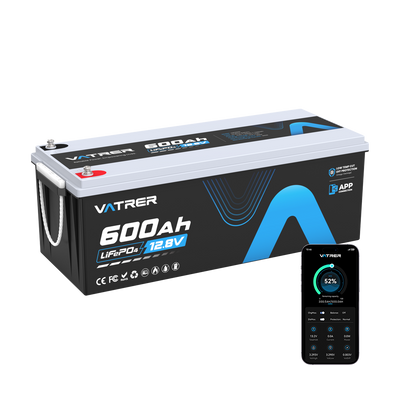
Lithium Battery Not Charging? Practical Fixes for RVs, Boats & Off-Grid Use
Reading time: 7 minutes
When a lithium battery will not charge, it can quickly ruin a camping trip, fishing weekend, cottage project, or off-grid setup. But before you assume the battery is finished, slow down and check the common causes. Many charging problems come from the charger, cold temperature, loose cables, BMS protection, blown fuses, or incorrect solar and inverter settings.
This guide explains how to troubleshoot a lithium battery that is not charging in a practical way. It is written for RVs, travel trailers, boats, cabins, golf carts, solar systems, and other 12V or 24V lithium setups commonly used across Canada.
How a Lithium Battery Charges
Lithium batteries charge by moving lithium ions inside the battery cells. When the battery is connected to the correct charger, energy moves back into the cells and is stored for later use.
Most modern lithium batteries also include a BMS, or Battery Management System. The BMS is important because it protects the battery from unsafe charging, over-discharge, high current, overheating, freezing-temperature charging, and short circuits.
If the BMS detects a problem, it may stop the battery from charging. That can look like a dead battery, even when the battery is actually protecting itself.
Key Components of a Lithium Battery
- Anode: Stores lithium ions during charging.
- Cathode: Helps release stored energy when the battery is powering a load.
- Electrolyte: Allows lithium ions to move inside the battery.
- Separator: Keeps the positive and negative sides apart to help prevent short circuits.
- BMS: Monitors the battery and protects it from unsafe operating conditions.
Diagram: Lithium Battery Structure

Common Reasons a Lithium Battery Will Not Charge
Charging issues are usually easier to diagnose when you start with the most likely causes. In Canada, cold weather is a major one, but it is not the only reason.
1. The Battery Is Too Cold
This is a big issue for Canadian RVers, boat owners, cottage users, and anyone storing batteries in an unheated garage or shed. Many LiFePO4 batteries should not be charged below 0°C unless they have built-in self-heating or low-temperature charging protection.
If the battery is cold, the BMS may block charging to protect the cells. Bring the battery into a warmer environment or allow the self-heating function to work before trying to charge again.
2. The Charger Is Wrong for Lithium
A lead-acid charger may not work properly with lithium batteries. It may charge too slowly, stop too early, use the wrong voltage, or fail to wake a protected battery.
Check that your charger, RV converter, solar charge controller, or DC-DC charger has a lithium or LiFePO4 setting. If it does not, confirm compatibility with the battery manufacturer before using it.
3. The Battery Is in BMS Protection Mode
If the battery was discharged too deeply, overloaded, shorted, or exposed to unsafe temperatures, the BMS may shut it down. This is a protection feature.
Some batteries wake up automatically when connected to the correct charger. Others may need a manufacturer-approved reset process.
4. Loose or Corroded Connections
RVs, boats, trailers, and off-grid cabins see vibration, moisture, dust, and temperature swings. Over time, terminals can loosen, fuses can fail, and connectors can corrode.
A poor connection can prevent charging even if the battery and charger are both working.
5. A Fuse, Breaker, or Battery Disconnect Is Open
Many systems have multiple protection points between the charger and the battery. If a fuse is blown, breaker is tripped, or disconnect switch is off, the charger may not reach the battery at all.
6. The Battery Is Old or Damaged
Lithium batteries last a long time, but damage, poor storage, repeated deep discharge, overheating, or water intrusion can cause failure. If the battery will not hold voltage or shuts down repeatedly, it may need professional inspection or replacement.
Troubleshooting Steps
Use the steps below before replacing the battery. If you notice swelling, smoke, a burning smell, melted wires, or unusual heat, stop immediately and get professional help.
Step 1: Check the Charger and Charging Source
- Confirm charger type: Make sure it supports lithium or LiFePO4 charging.
- Check output voltage: The charger must match the battery voltage.
- Inspect cables: Look for cuts, frayed wires, loose plugs, or damaged connectors.
- Try another charger: Use a known-good compatible charger if available.
- Check shore power: If charging in an RV, confirm that the outlet, pedestal, converter, or inverter charger is working.
Step 2: Warm the Battery if It Has Been in the Cold
If the battery was stored in freezing temperatures, do not force it to charge. Move it to a warmer location and give it time to reach a safe charging temperature.
- Unheated garage: Let the battery warm up before charging.
- Winter RV storage: Check the battery temperature before connecting the charger.
- Self-heating battery: Make sure the heater has enough power and time to activate.
Step 3: Measure Battery Voltage
Use a multimeter to check voltage directly at the battery terminals. This helps separate battery problems from wiring problems.
| Voltage Result | Possible Cause | Next Step |
|---|---|---|
| No voltage | BMS shutdown, fuse issue, damaged battery, or broken connection | Check manual reset steps, fuses, and charger compatibility |
| Very low voltage | Over-discharge or protection mode | Use a compatible lithium charger and follow manufacturer guidance |
| Normal voltage but no charge current | Charger, controller, wiring, or BMS issue | Test charger output and inspect the charging path |
| Voltage rises then stops | Temperature cutoff, BMS protection, or internal issue | Check battery temperature and contact support if repeated |
Step 4: Inspect Terminals, Cables, and Fuses
- Tighten battery terminals: Loose terminals can stop charging or create heat.
- Clean contacts: Remove dirt, oxidation, and corrosion.
- Check fuse holders: A blown fuse can completely block charging.
- Reset breakers: A tripped breaker may be the only issue.
- Inspect cable size: Undersized cables can cause voltage drop and poor charging.
Step 5: Check Solar, Converter, and DC-DC Settings
Many Canadian RV and off-grid systems use more than one charging source. Solar, alternator charging, shore power, and generator charging may each have separate settings.
- Solar controller: Set it to lithium or custom LiFePO4 values.
- RV converter: Confirm that it supports lithium charging.
- DC-DC charger: Check the lithium profile and wiring.
- Inverter charger: Confirm charging voltage, current limit, and battery type.
When to Replace the Battery
Sometimes the problem is not fixable with a charger reset or cable cleaning. Replace the battery or contact the manufacturer if the battery shows signs of physical or electrical failure.
- The case is swollen or cracked
- The battery smells burnt or gets unusually hot
- The battery was exposed to water intrusion
- Voltage drops quickly under a light load
- The correct charger cannot wake the battery
- The BMS shuts down repeatedly during normal use
How to Avoid Charging Problems in Canadian Conditions
Most lithium battery problems can be prevented with the right setup and storage habits, especially during winter.
- Use a LiFePO4-compatible charger: Do not rely on an old lead-acid charger unless it is approved for lithium.
- Avoid charging below freezing: Use self-heating batteries or low-temperature charging protection when needed.
- Store properly for winter: Follow the manufacturer’s storage charge recommendation.
- Keep terminals clean and tight: Inspect before and after the camping season.
- Check solar settings: Make sure your controller is not still set to AGM or flooded lead-acid.
- Protect from moisture: Use a dry, ventilated compartment.
- Do not leave the battery fully drained: Recharge before long storage periods.
FAQ
Why will my lithium battery not charge after winter storage?
The battery may be too cold, over-discharged, or in BMS protection mode. Warm the battery to a safe temperature, check voltage, and use a compatible lithium charger.
Can I charge a lithium battery below 0°C?
Most LiFePO4 batteries should not be charged below 0°C unless they have self-heating or low-temperature charging protection. Always follow the battery manufacturer’s instructions.
Why does my RV solar controller show charging but the battery does not fill?
The solar controller may be set to the wrong battery type, the voltage settings may be incorrect, or there may be a wiring, fuse, or BMS issue.
Can a dead lithium battery be recovered?
Sometimes. If the BMS has shut the battery down after over-discharge, the correct lithium charger may wake it. If it does not recover, contact the manufacturer.
Should I replace my charger when switching to lithium?
Usually, yes, unless your current charger has a confirmed lithium or LiFePO4 charging profile. A matched charger helps the battery charge safely and fully.
Conclusion
If your lithium battery is not charging, start with the most common causes: cold temperature, wrong charger, BMS protection, loose terminals, blown fuses, and incorrect system settings. In many RV, marine, cottage, and solar setups, the battery itself is not the first thing to blame.
For Canadian users, cold-weather charging protection is especially important. Warm the battery before charging, use the correct lithium charger, keep wiring clean and secure, and store the battery properly through winter. If the battery is swollen, damaged, overheating, or still not charging after safe troubleshooting, stop using it and contact the manufacturer or a qualified technician.
Share