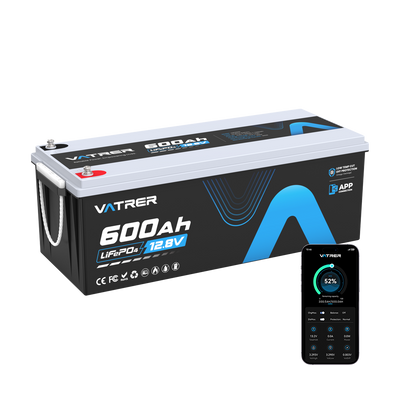
Golf Cart Battery Replacement Signs: Test, Fix or Upgrade
Reading time: 13 minutes
Golf cart batteries are the heart of an electric golf cart. When they are healthy, the cart accelerates smoothly, climbs hills with confidence, and delivers reliable range. When they begin to fail, you may notice shorter trips, slower starts, longer charging times, weak hill performance, or sudden power loss even after a full charge.
For Canadian golf cart owners, battery condition is especially important because carts are often used beyond the course. Many are driven around cottages, campgrounds, resorts, marinas, farms, gated communities, private roads, and seasonal properties. Cold mornings, damp storage, gravel roads, hilly terrain, heavy passengers, and long winter layups can all shorten battery life or reveal problems that were not obvious during lighter use.
This guide explains the main signs that your golf cart battery needs replacing, how to test it, when maintenance may still help, and when it makes more sense to replace or upgrade the battery pack.
Signs Your Golf Cart Battery Needs Replacing
A failing golf cart battery does not always stop working overnight. In many cases, the warning signs appear gradually. You may still be able to charge the cart, but the battery pack may no longer deliver the range, voltage stability, or current needed for normal driving.
1. Reduced Range on a Full Charge
One of the clearest signs of battery decline is reduced driving range. If your cart used to complete a full round of golf, a full campground loop, or several trips around the cottage property but now needs charging much sooner, the batteries may be losing capacity.
- Shorter rides: The cart does not travel as far as it used to on one charge.
- Early low-battery warning: The battery meter drops faster than normal.
- Range changes from last season: The cart performs noticeably worse after winter storage.
- Route limitations: Hills, gravel, or passengers reduce range more than they used to.
If your driving habits have not changed but your range has dropped significantly, the battery pack should be tested.
2. Weak Acceleration or Poor Hill Climbing
A healthy golf cart battery pack should provide enough current for smooth acceleration and steady hill climbing. If the cart feels sluggish, hesitates, or slows sharply on hills, the batteries may no longer be able to deliver power under load.
- Slow acceleration: The cart takes longer to get moving.
- Weak hill performance: The cart slows down on slopes or cottage roads.
- Reduced torque: The cart struggles with passengers, golf bags, tools, or supplies.
- Voltage sag: The battery meter drops quickly when the accelerator is pressed.
This issue is common with aging lead-acid battery packs, but it can also happen with lithium batteries if the pack is undersized or the BMS current rating is not suitable for the cart.
3. Longer Charging Times or Incomplete Charging
Charging behaviour can reveal a lot about battery health. If the battery takes much longer to charge than before, never seems to reach full charge, or the charger stops unusually quickly, the battery pack may be failing or imbalanced.
- Extended charging: The charger runs much longer than normal.
- Short charging cycles: The charger says the pack is full too quickly, but runtime remains poor.
- Frequent recharging: You need to plug in after shorter drives.
- Charger faults: Warning lights or errors appear during charging.
Charging issues do not always mean the batteries are bad. The charger, charging port, cables, extension cord, or battery connections may also be part of the problem. Check the full charging system before replacing the pack.
4. Physical Damage, Swelling or Leaking
Visible battery damage is a serious warning sign. A battery that is swollen, cracked, leaking, overheated, or badly corroded should not be ignored. Physical damage can affect performance and may create a safety risk.
- Swelling: A bulging battery case can indicate internal damage or overcharging.
- Leaking: Any leaking fluid from a lead-acid battery requires immediate attention.
- Cracked case: A cracked battery should be replaced rather than repaired.
- Severe corrosion: Heavy terminal buildup may indicate acid exposure, poor connections, or charging problems.
- Heat damage: Melted cable insulation, burnt terminals, or hot battery posts suggest high resistance or overcurrent.
Do not continue using a damaged battery. If the battery is leaking, smoking, unusually hot, or giving off a strong smell, stop using it and follow safe handling and recycling procedures.
5. Unusual Smells, Sounds or Heat
Strange smells or noises during charging are warning signs. Flooded lead-acid batteries can produce some bubbling during charging, but loud hissing, excessive bubbling, strong odour, or abnormal heat may point to overcharging, internal damage, or a failing cell.
- Rotten egg smell: A strong sulphur smell can indicate battery gas or overcharging.
- Hissing: Hissing may suggest pressure, overheating, or internal issues.
- Excessive bubbling: Too much bubbling can be a sign of overcharge or battery damage.
- Hot battery case: Warm is not the same as dangerously hot. Excessive heat should be investigated.
- Burning smell: This may indicate cable, charger, solenoid, or controller problems.
If you notice these symptoms, stop charging and inspect the system. A qualified technician should check the battery pack and charger if the cause is unclear.
6. Battery Age and Service Life
Battery age matters. Even well-maintained golf cart batteries wear out over time. The lifespan depends on chemistry, use, charging habits, storage, depth of discharge, terrain, climate, and maintenance.
| Battery Type | Typical Replacement Clues | Maintenance Notes |
| Flooded lead-acid | Shorter range, low water, corrosion, weak under load | Needs watering, cleaning, full charging, and proper storage |
| AGM or gel | Long charge time, reduced range, poor load performance | Sealed, but still needs correct charger and storage |
| LiFePO4 lithium | BMS faults, reduced range, charger mismatch, current cut-off | Low maintenance, but needs correct charger and temperature protection |
Many lead-acid golf cart batteries last several years with good care, but heavy use, deep discharge, poor charging, or winter neglect can shorten that lifespan. Lithium batteries can last longer, but they still need the correct charger, proper storage, and a battery pack sized for the cart’s current demand.
Testing Your Golf Cart Battery
Before replacing a golf cart battery, test it properly. A battery can show a full charge at rest but fail under load. Testing helps determine whether the issue is the battery, charger, cables, controller, solenoid, or another part of the cart.
1. Voltage Test
A voltage test is a simple first step. Use a digital voltmeter or multimeter to check the battery pack and each individual battery after a full charge. For lead-acid batteries, let the pack rest after charging before taking readings for a more useful result.
| Battery System | What to Check | Why It Matters |
| 36V cart | Total pack voltage and each battery | Find weak batteries in the series pack |
| 48V cart | Total pack voltage and each battery | Confirm the pack is balanced and fully charged |
| 72V cart | Total pack voltage and charger compatibility | Identify low voltage, charger faults, or imbalance |
| Lithium pack | Battery display, Bluetooth app, or BMS data | Check state of charge, cell balance, and protection alerts |
A single battery that reads much lower than the rest can reduce the performance of the whole cart. However, voltage alone is not enough. A weak battery may look fine at rest but fail when the cart is driven.
2. Load Test
A load test checks how the battery performs under stress. This is more useful than a simple voltage reading because golf cart batteries must deliver power while moving passengers, climbing hills, and running accessories.
During a load test, voltage should stay within an acceptable range for the battery type. If it drops quickly or unevenly, one or more batteries may be weak.
- Test the full pack under load.
- Compare individual batteries in lead-acid systems.
- Watch for one battery dropping faster than the others.
- Check voltage during acceleration or hill climbing.
- Have a battery shop or golf cart technician perform the test if needed.
Load testing is especially helpful if the cart shows full charge but struggles to move or loses power quickly.
3. Hydrometer Test for Flooded Lead-Acid Batteries
A hydrometer test applies only to serviceable flooded lead-acid batteries. It measures the specific gravity of the electrolyte in each cell. Uneven readings between cells can indicate sulphation, imbalance, or a failing battery.
- Use a hydrometer only on serviceable flooded batteries.
- Wear gloves and eye protection when working around battery acid.
- Do not perform this test on AGM, gel, or lithium batteries.
- Compare readings between cells and batteries.
- If readings are uneven or very low, the battery may be failing.
If you are not familiar with battery acid handling, have this test done by a professional.
4. Charger and Cable Inspection
Sometimes the battery is not the problem. A weak charger, poor connection, damaged cable, or corroded charging port can prevent proper charging and make the battery seem bad.
- Check the charger plug and receptacle.
- Inspect battery cables for corrosion or heat damage.
- Confirm the charger matches the battery voltage and chemistry.
- Check for charger error lights or unusual fan behaviour.
- Avoid using undersized extension cords.
- Make sure the charger completes its full cycle.
For lithium upgrades, the charger must match the lithium battery’s charging profile. A lead-acid charger may not fully charge a LiFePO4 pack or may cause fault behaviour.
Lead-Acid vs Lithium Replacement Signs
Replacement signs can look different depending on the battery chemistry. Lead-acid batteries often decline gradually, while lithium batteries may maintain voltage longer and then shut down when the BMS detects a limit.
| Warning Sign | Lead-Acid Battery | LiFePO4 Lithium Battery |
| Reduced range | Often caused by sulphation, age, low water, or weak cells | May indicate capacity loss, undersized pack, or BMS issues |
| Slow acceleration | Voltage sag under load is common with weak batteries | May point to BMS current limit or controller demand |
| Long charging time | Can indicate age, imbalance, or charger issues | May indicate charger mismatch or BMS balancing |
| Physical damage | Leaking, swelling, corrosion, or low electrolyte | Swelling, case damage, heat, or BMS alerts |
| Storage problems | Discharged storage can cause sulphation | Improper storage or cold charging can trigger protection |
When Maintenance May Still Save the Battery
Not every battery problem requires immediate replacement. If the battery is not physically damaged and still tests reasonably well, maintenance may restore some performance.
Maintenance That May Help Lead-Acid Batteries
- Fully charge the battery pack after use.
- Clean terminals and cable connections.
- Top up flooded batteries with distilled water if levels are low.
- Equalize only if the manufacturer recommends it for that battery type.
- Remove corrosion and repair loose cables.
- Avoid leaving the battery discharged.
Maintenance That May Help Lithium Batteries
- Use the correct lithium-compatible charger.
- Check Bluetooth or BMS data if available.
- Follow manufacturer reset instructions after a BMS protection event.
- Store at the recommended state of charge.
- Avoid charging below the rated temperature unless the battery has protection or heating.
- Confirm the pack’s discharge rating matches the cart controller.
If performance does not improve after proper charging, cleaning, testing, and maintenance, replacement is likely the better option.
Maintenance Tips to Extend Golf Cart Battery Life
Good maintenance can delay replacement and improve cart reliability. This is especially important for carts used seasonally in Canada.
Charging Habits
- Charge after use instead of leaving the battery deeply discharged.
- Let the charger complete its cycle.
- Use the correct charger for the battery voltage and chemistry.
- Do not charge lithium batteries below their safe charging temperature.
- Avoid repeated deep discharge whenever possible.
Cleaning and Connection Care
- Keep terminals clean and tight.
- Inspect cables for corrosion, cracking, or heat damage.
- Replace damaged lugs or undersized cables.
- Keep the battery compartment dry and ventilated.
- Use proper safety equipment when working around lead-acid batteries.
Water Levels for Flooded Lead-Acid Batteries
- Check water levels regularly if the battery is serviceable.
- Use distilled water only.
- Do not overfill cells.
- Never add acid unless directed by a qualified battery professional.
- Check levels more often during heavy use and hot weather.
Storage Practices
- Store the cart in a cool, dry location when possible.
- Charge batteries according to the manufacturer’s storage instructions.
- Disconnect parasitic loads during long storage.
- Check state of charge periodically.
- Protect terminals from corrosion.
- Inspect the cart before spring use after winter storage.
Canadian Winter Storage Considerations
Winter storage is one of the biggest reasons golf cart batteries fail early in Canada. A battery left discharged in a cold garage, shed, or trailer can suffer serious damage. Moisture can also cause corrosion, and parasitic loads can slowly drain the pack while the cart is parked.
- Fully charge lead-acid batteries before storage unless the manufacturer says otherwise.
- Store lithium batteries at the manufacturer’s recommended storage charge.
- Disconnect accessories, lights, USB chargers, and voltage reducers.
- Use the cart’s tow/run or maintenance switch if available.
- Do not charge LiFePO4 batteries below their rated charging temperature unless protected or heated.
- Keep batteries away from direct moisture and standing water.
- Check charge level during long storage periods.
A cart that worked well in the fall but performs poorly in spring may have suffered storage-related discharge, corrosion, charger issues, or battery imbalance.
Should You Replace One Battery or the Whole Pack?
In a multi-battery lead-acid golf cart, replacing only one bad battery may seem cheaper, but it is not always the best long-term solution. If the rest of the pack is also old, the new battery may be pulled down by the weaker batteries.
| Situation | Best Approach |
| One battery failed early in a newer matched pack | Replace the failed battery with the same type, size, and rating |
| Several batteries are old or weak | Replace the full set for better balance and performance |
| Batteries are different ages or brands | Consider replacing with a matched set |
| Cart needs more range or less maintenance | Consider a properly sized lithium upgrade |
| Battery compartment or charger is not compatible | Check fit and charging equipment before replacing |
For lithium conversions, confirm voltage, BMS current rating, peak discharge rating, charger compatibility, mounting space, and temperature protection before buying.
Replacement Checklist Before Buying a New Battery
Before replacing your golf cart battery, confirm the following:
- Cart voltage: 36V, 48V, 72V, or another system voltage
- Battery chemistry: flooded lead-acid, AGM, gel, or LiFePO4
- Battery capacity in amp-hours
- Physical dimensions and tray space
- Terminal type and cable layout
- Charger compatibility
- Continuous and peak current requirements
- Cold-weather charging protection for lithium batteries
- Warranty and manufacturer support
- Recycling options for old batteries
Common Mistakes to Avoid
- Replacing batteries without testing the charger first.
- Mixing old and new lead-acid batteries in the same pack.
- Ignoring corrosion or loose cables.
- Using a starting battery instead of a deep-cycle golf cart battery.
- Buying by voltage only and ignoring amp-hours.
- Using a lead-acid charger on lithium without confirming compatibility.
- Storing batteries discharged through winter.
- Charging lithium batteries in freezing conditions without protection.
- Assuming a full battery meter means the pack is healthy.
- Forgetting to recycle old batteries properly.
Conclusion
You may need to replace your golf cart battery if the cart has reduced range, weak acceleration, longer or unusual charging behaviour, visible battery damage, strange smells, poor hill performance, or batteries that fail load testing. Age is also a major clue, especially if the pack has already served several seasons and performance continues to decline despite proper charging and maintenance.
Before replacing the battery, test the pack under load, inspect the charger, clean the terminals, check cables, and confirm that the battery chemistry matches the charger. For flooded lead-acid batteries, also check water levels and electrolyte condition. For lithium batteries, review BMS data, state of charge, current limits, and temperature protection.
For Canadian golf cart owners using carts on courses, at cottages, campgrounds, resorts, farms, marinas, and private roads, proper battery care and winter storage can make a major difference. Replacing a weak battery at the right time helps prevent breakdowns, protects the cart’s electrical system, and keeps your cart ready for reliable use throughout the season.
Share
1 comment
Can I put this 48v in my 2003 ezgo 36v golf cart