Electric Golf Cart Troubleshooting: The Most Common Faults to Check First
Reading time: 21 minutes

Share
The most common problem with electric golf carts is usually not one single broken part. In most cases, it is a power delivery issue caused by weak battery voltage, an ageing battery pack, a charger that is not finishing the job, or cables and terminals that are loose, dirty, or corroded. Because many golf carts in Canada use 36V, 48V, or 72V systems, even a small drop in voltage can show up as poor acceleration, shorter range, slow hill climbing, or a cart that will not move at all.
That said, the battery is not always the guilty part. A golf cart that clicks but does not drive may have a solenoid fault. A cart that feels sluggish around a campground, golf course, cottage property, or private community may be dealing with a controller problem, dragging brakes, low tire pressure, worn wiring, or motor strain. Smart electric golf cart troubleshooting starts with the battery system, then moves through the parts that control current, direction, and motion.


Why Power Problems Are So Common in Electric Golf Carts
An electric golf cart relies on several components working in sequence. The battery pack stores energy. The charger restores the pack after use. Cables and terminals move current. The solenoid opens the high-current circuit. The controller regulates power output. The motor turns that electrical energy into movement.
When one part becomes weak, the symptoms often overlap. A cart that will not start may simply have low pack voltage after winter storage, but it may also have a failed solenoid or a broken control circuit. A cart that drives slowly may need batteries, but it could also be fighting soft tires, seized brakes, oversized wheels, or a controller that is overheating.
Start with Battery and Charger Checks
The battery and charging system should be checked first because they affect almost every major symptom, including no-start issues, short driving range, weak acceleration, charging failure, and sudden power loss.
Common Electric Golf Cart Voltage Systems
| Nominal System Voltage | Approximate Fully Charged Lead-Acid Pack Voltage | Typical Canadian Use Case |
|---|---|---|
| 36V | About 38.2V | Older carts, light course use, short private-property trips |
| 48V | About 50.9V | Modern golf carts, cottage communities, campgrounds, neighbourhood-style driving |
| 72V | About 76.4V | Higher-power carts, lifted builds, heavier loads, hillier terrain |
These figures are resting estimates for lead-acid battery packs. A pack can look acceptable when the cart is parked, then drop sharply when the accelerator is pressed. That voltage sag is why a dash meter alone may not tell the full story, especially after cold storage or repeated deep discharges.
Several issues can create the same weak-cart feeling:
- Low battery voltage: The cart may not start, may lose power quickly, or may not be recognized by the charger after sitting unused for a long period.
- Weak charger or charging port: The charger may light up, hum, or click, but the pack may still fail to reach a healthy full charge.
- Corroded terminals: Corrosion adds resistance and can make the cart feel underpowered even when the batteries have charge remaining.
- Loose or damaged cables: High-current battery cables need clean, tight contact. A weak connection can create heat, voltage drop, or sudden cut-outs.
- Flooded lead-acid maintenance problems: Low electrolyte levels, poor watering habits, or acid-related corrosion can shorten battery life and reduce performance.
If your cart uses lithium batteries, the battery management system may also stop charging or discharging to protect the pack. This can happen during over-discharge, over-current, overheating, or low-temperature charging conditions, which is especially relevant in many Canadian garages, sheds, and seasonal storage areas.
What to Check After the Battery System
Battery checks are important, but they should not become the entire diagnosis. Once the charger, pack voltage, and cable connections look normal, the next likely causes are the control and drive components.
- If the cart has voltage but will not move, check the solenoid, key switch, pedal switch, controller input, and wiring.
- If the cart moves but accelerates unevenly, check the speed controller, throttle input, and motor circuit.
- If the cart only drives forward or only in reverse, inspect the direction switch and related wiring.
- If the cart feels slow, heavy, or strained, check tire pressure, brake drag, passenger load, oversized tires, and mechanical resistance.
The battery is the energy source, but the solenoid, controller, wiring, and motor are the pathway to the wheels. A healthy battery pack cannot move the cart if another part is blocking current from reaching the motor.
Common Electric Golf Cart Symptoms and What They Usually Mean
Most owners notice the symptom before they know the cause. The cart may refuse to start, fail to charge, slow down on hills, jerk while driving, or stop after a few minutes. The symptom gives you the first clue about where to look.
Cart Won’t Start
A no-start condition is one of the most common electric golf cart complaints. It can come from the battery pack, but it can also come from a bad switch, loose cable, solenoid issue, controller fault, or damaged wiring.
Common signs include:
- No response at all: You turn the key, press the pedal, and nothing happens. Check pack voltage, the key switch, main cables, and the control wiring.
- Click but no movement: The solenoid may be activating, but the high-current side may not be passing enough current to move the cart.
- No click: The solenoid may not be receiving the signal to close. The key switch, pedal switch, pack voltage, and wiring should be checked.
- Starts only sometimes: Intermittent starting often points to loose cables, corroded terminals, weak solenoid contacts, or a connection that fails under vibration.
Do not assume the motor has failed right away. Motors are costly, and many no-start problems come from easier and less expensive parts.
Cart Is Not Charging
Charging problems can be confusing because a charger light does not always mean the battery pack is charging correctly. The charger may turn on, flash, hum, or click without completing a proper charge cycle.
Common causes include:
- Faulty charger output: Many golf cart chargers operate around 15A to 25A, depending on voltage and model. If the output is unstable, the pack may never charge fully.
- Loose or dirty charging port: A corroded or loose port can interrupt charging, especially if the plug moves during the charge cycle.
- Battery voltage too low: Some chargers will not start if the battery pack is deeply discharged below their detection range.
- Wrong charger profile: A lead-acid charger is not automatically suitable for lithium batteries unless it is designed for that chemistry and voltage.
- Lithium BMS protection: A lithium pack may block charge or discharge when the battery is outside a safe operating range.
If you are changing from lead-acid to lithium, match the charger to the new battery voltage and charging profile. Vatrer lithium golf cart battery kits are commonly paired with a dedicated lithium charger, which helps reduce one common source of charging confusion.
Cart Runs Slow or Feels Weak
A slow golf cart does not always need new batteries. The issue may come from the controller, throttle input, tires, brakes, payload, terrain, or motor condition.
Pay attention to when the weakness appears:
- Weak immediately: Low voltage, an ageing pack, controller limitation, or a poor main connection may be involved.
- Weak on hills: Hills expose voltage sag, heavy loads, soft tires, brake drag, and motor strain.
- Weak after 10 to 20 minutes: Heat may be affecting the controller, motor, cables, or old batteries.
- Weak with passengers or cargo: Extra weight increases current draw, especially on slopes, grass, gravel paths, and cottage roads.
Tire pressure matters more than many owners expect. Many golf cart tires run around 18 to 25 psi, depending on the tire type and manufacturer recommendation. A tire that is several psi low can add rolling resistance and make the cart feel tired even when the battery pack is still usable.
Cart Jerks, Cuts Out, or Loses Power
A golf cart that jerks or shuts down while driving often has a connection or component that fails under heat, load, moisture, or vibration.
Common causes include:
- Loose wiring: A connector may lose contact when the cart hits bumps or rough ground.
- Corroded terminals: Corrosion may carry small current but fail when the motor demands more power.
- Failing solenoid: Worn internal contacts may work sometimes and fail under acceleration.
- Controller overheating: Hills, heavy passengers, oversized tires, and poor airflow can push the controller too hard.
- Damaged cable: A frayed or internally damaged cable can create heat and voltage drop.
Stop using the cart if you smell burning, see melted insulation, or notice a cable becoming unusually hot. Electric golf carts can draw very high current during acceleration, so heat is a serious warning sign.
Cart Only Goes Forward or Reverse
If the cart moves in one direction but not the other, the battery pack is usually not the main suspect. The problem is more likely tied to direction control.
Common causes include:
- Worn forward/reverse switch: Frequent direction changes can wear the contacts over time.
- Loose switch connection: One loose wire can stop one direction from engaging.
- Controller signal issue: The controller may not be receiving the correct forward or reverse command.
- Damaged direction wiring: Wiring between the switch and controller can create one-direction failure.
This issue is especially common on older carts and used fleet carts. Replacing the battery pack will not fix it unless the cart also has clear low-voltage symptoms.
Golf Cart Parts That Commonly Cause Electrical Problems
Once you understand the symptom, it becomes easier to connect it to the most likely component. You do not need to be a technician, but you do need enough context to avoid replacing parts by guesswork.
Battery Pack and Charger
The battery pack and charger remain the first checkpoints because they influence starting, charging, speed, and range.
Common signs include:
- Short runtime: Lead-acid golf cart batteries often last about 3 to 5 years with normal care, but cold storage, deep discharge, and poor maintenance can shorten that life.
- Voltage sag: The pack may show charge at rest but drop quickly when the cart accelerates or climbs.
- Uneven battery pack: In a multi-battery lead-acid setup, one weak battery can drag down the entire pack.
- Incomplete charging: A charger, port, cable, or battery issue may prevent the pack from reaching full charge.
For flooded lead-acid batteries, the water level should cover the plates, but the cells should not be filled to the cap. Use distilled water only. AGM, gel, and lithium batteries do not require watering.
Lithium battery systems reduce many lead-acid maintenance issues. There is no watering, less acid-related corrosion, lighter weight, and more stable voltage through much of the discharge cycle. However, lithium batteries will not repair bad wiring, a failed solenoid, a worn motor, or a faulty controller.
Solenoid
The solenoid is a high-current switch. When you turn the key and press the accelerator, it helps send power from the battery pack toward the controller and motor.
Common symptoms include:
- No click: The solenoid may not be activating, or the activation circuit may have a fault.
- Click but no movement: The solenoid may click but fail to pass high current through worn contacts.
- Intermittent start: Internal contacts may work one moment and fail the next.
- Heat or burnt smell: Resistance, overload, or failing contacts may be involved.
A solenoid handles serious current. If you are not comfortable working around high-current DC systems, this is the right point to stop and have the cart inspected.
Speed Controller and Throttle Input
The speed controller manages how much current reaches the motor. The throttle input device tells the controller how much speed you are requesting.
When either part has a problem, the cart may start but drive poorly.
- Uneven acceleration: The cart may surge, hesitate, or feel jumpy.
- Low top speed: The cart may never reach normal speed on flat ground.
- Delayed pedal response: You press the accelerator, but the cart reacts late.
- Cut-out under load: The controller may reduce output or shut down when stressed.
Controller issues are often mistaken for battery problems because both can make the cart feel weak. If battery voltage is healthy but speed remains erratic, the controller and throttle input should be checked.
Motor
The motor is not usually the first part to blame, but it can fail, especially on older carts, lifted carts, carts used on steep ground, or carts carrying heavy loads.
Watch for these signs:
- Burning smell: Stop driving and inspect the cart before using it again.
- Unusual noise: Grinding, squealing, or scraping may point to motor or drivetrain wear.
- Overheating: A motor that becomes very hot after a short drive may be overloaded or failing.
- No movement with good power: If the battery pack, solenoid, controller, and wiring test properly, the motor becomes more likely.
Avoid replacing the motor too early. A motor can be blamed for problems actually caused by low voltage, poor cables, a weak solenoid, or a failing controller.
Wiring, Cables, and Connectors
Wiring problems are easy to miss because they may not look dramatic. A cable can appear normal from the outside and still have internal damage, corrosion, or poor contact.
Common trouble spots include:
- Battery cables: Loose, corroded, or undersized cables can create heat and voltage drop.
- Controller connectors: Dirt, moisture, vibration, or corrosion can interrupt signals.
- Ground connections: Poor grounding can create strange intermittent faults.
- Pedal and switch wiring: A small signal wire can stop the cart even when the battery pack is healthy.
If the problem appears after driving over bumps, washing the cart, or storing it in damp conditions, wiring and connectors should move higher on your checklist.
Direction Switch, Brakes, and Tires
Some common electric golf cart problems are not battery failures at all. They only feel electrical from the driver’s seat.
- Direction switch: If the cart only drives forward or only in reverse, inspect the forward/reverse switch and wiring.
- Dragging brakes: A brake that does not fully release can make the cart feel weak and reduce range.
- Low tire pressure: Underinflated tires increase rolling resistance and make the motor work harder.
- Oversized tires: Larger tires can reduce low-speed torque and increase strain on the controller and motor.
These checks can save money. A slow cart with soft tires or dragging brakes may not need batteries or a controller.
How to Troubleshoot Electric Golf Cart Problems
A good troubleshooting order helps you avoid expensive guesswork. Start with visible, low-risk checks. Move toward high-current electrical components only after the simple causes have been ruled out.
Step 1: Check the Basic Power Items
Begin with the items most owners can inspect safely.
- Confirm charger power: Make sure the outlet works and the charger turns on normally. If the charger displays an error code, note it before unplugging.
- Check battery pack voltage: Use a voltmeter only if you are comfortable doing so. Compare the reading with your cart’s 36V, 48V, or 72V system.
- Inspect cable connections: Look for loose nuts, green or white corrosion, melted insulation, or frayed cables.
- Check the charging port: A loose or dirty port can cause charging failure even when the charger is good.
- Check lead-acid water level: Only do this for flooded lead-acid batteries. Wear gloves and eye protection.
This step often finds the issue quickly. If you see severe corrosion, melted cables, or signs of heat, do not continue testing the cart under load.
Step 2: Listen and Watch for Clues
Small clues can point toward the right component.
Electric Golf Cart Troubleshooting Clues
| Symptom | What You Notice | Likely Area to Check | Why It Matters |
|---|---|---|---|
| No sound, no movement | Key on, pedal pressed, nothing happens | Battery voltage, key switch, wiring | The control circuit may not be powering up |
| One click, no movement | Solenoid clicks but the cart does not drive | Solenoid contacts, controller, motor circuit | The low-current signal may work while high-current flow fails |
| Charger will not start | Plugged in but no charging behaviour | Charger, port, pack voltage | The charger may not detect the battery pack |
| Slow uphill | Runs on flat ground but struggles on grade | Battery sag, brakes, tires, motor load | Hills expose weak power delivery |
| Cuts out after driving | Works briefly, then stops | Controller heat, loose wiring, weak cables | Heat and vibration can trigger intermittent faults |
The pattern matters. A cart that fails only after 15 to 20 minutes may have a heat-related issue. A cart that fails after a bump may have loose wiring, a weak connector, or a damaged cable.
Step 3: Match the Symptom to the Likely Part
Use the symptom to narrow your list before replacing parts.
- Won’t start: Check battery voltage, main cables, key switch, solenoid, wiring, and controller input.
- Not charging: Check the charger, outlet, charging port, pack voltage, battery age, and lithium BMS status.
- Runs slow: Check battery sag, tire pressure, brake drag, speed controller, throttle input, and motor condition.
- Jerks or cuts out: Check loose wiring, corroded connectors, solenoid contacts, controller heat, and cable damage.
- Only one direction works: Check the forward/reverse switch, direction wiring, and controller signal.
This approach helps prevent wrong-part replacement. New batteries will not fix a bad solenoid. A new controller will not fix a loose cable.
Step 4: Know When to Call a Technician
Some checks are reasonable for many owners. Others are not worth the risk unless you have proper tools and experience.
DIY Checks vs. Professional Repair
| Problem Area | Typical Time to Check | DIY-Friendly? | Better for a Technician? | Notes |
|---|---|---|---|---|
| Charger outlet and plug | 2 to 5 minutes | Yes | No | Check the outlet, plug fit, and charger indicator before assuming the charger is bad. |
| Tire pressure | 2 to 5 minutes | Yes | No | Follow the tire sidewall or cart manual. Many golf cart tires fall around 18 to 25 psi. |
| Visible terminal corrosion | 5 to 10 minutes | Yes, with safety gear | If severe | Light corrosion can be cleaned carefully; heat damage needs inspection. |
| Loose battery cable | 5 to 10 minutes | Sometimes | Yes, if heat or melting is present | A loose cable can cause voltage drop, heat, and intermittent power loss. |
| Solenoid testing | 15 to 45 minutes | Not ideal for beginners | Yes | The solenoid carries high current and should be tested carefully. |
| Controller diagnosis | 30 to 60+ minutes | No | Yes | Controller faults can mimic weak battery symptoms. |
| Motor testing | 30 to 90+ minutes | No | Yes | Test the motor after batteries, solenoid, controller, and wiring have been checked. |
| Damaged wiring harness | 30 to 120+ minutes | No | Yes | Intermittent wiring faults can require tracing and safe repair. |
The dividing line is high current. If the issue involves the solenoid, controller, motor, or damaged main wiring, professional testing is usually safer and less expensive than guessing.
How to Prevent Common Electric Golf Cart Problems
Prevention comes down to reducing heat, voltage drop, corrosion, moisture exposure, and mechanical strain. Those five factors cause many of the failures Canadian owners notice first, especially after winter storage or wet seasonal use.
Keep the Power System Healthy
A healthy power system keeps the rest of the cart from working harder than necessary.
- Use the correct charger: Match voltage and battery chemistry. A 48V lead-acid charger is not automatically correct for a 48V lithium system.
- Avoid long low-charge storage: Lead-acid batteries suffer when stored discharged. Lithium batteries should also be stored within the manufacturer’s recommended state-of-charge range.
- Inspect connections monthly during the season: A quick look at terminals, cables, and the charging port can catch corrosion or looseness early.
- Maintain flooded lead-acid batteries: Check water level and use distilled water. Do not apply this to AGM, gel, or lithium batteries.
- Protect lithium batteries from low-temperature charging: Follow the battery manufacturer’s cold-weather charging guidance, especially in unheated garages or sheds.
If repeated issues involve range loss, watering, corrosion, or unstable voltage, a lithium golf cart battery may be worth comparing. Vatrer Battery offers lithium golf cart battery options with built-in BMS protection and monitoring features, which can make daily battery checks easier than managing a flooded lead-acid pack.
Protect Electrical Components
Electrical parts fail faster when they are hot, overloaded, wet, or loose.
- Avoid repeated overloads: Heavy passengers, cargo, hills, grass, gravel, and oversized tires raise current draw.
- Keep connectors dry: Water and corrosion are a bad combination. After washing or wet driving, avoid trapping moisture around electrical parts.
- Watch for heat signs: Melted insulation, a hot cable smell, or repeated cut-outs are warning signs. Stop using the cart until it is checked.
- Do not ignore intermittent faults: A problem that happens once a week can become a no-start failure without warning.
A cart that cuts out under load is already giving you a warning. It may still drive today, but the weak point is showing up.
Reduce Mechanical Strain
Mechanical drag makes electrical parts work harder. It can make a healthy cart feel weak and make a weak cart fail sooner.
- Check tire pressure: Stay within the tire manufacturer’s recommended range, commonly around 18 to 25 psi for many golf cart tires.
- Look for brake drag: If the cart feels slow and one wheel area gets unusually warm after a short drive, the brake may not be releasing fully.
- Avoid unnecessary weight: Extra cargo increases current draw, especially on hills and soft ground.
- Be careful with oversized tires: Bigger tires change the effective gearing and can reduce low-speed torque.
A slow cart with low tire pressure and dragging brakes may not need a battery pack or controller at all.
Should You Repair, Replace, or Upgrade Golf Cart Parts?
Once you identify the likely problem area, the next question is whether to repair, replace, or upgrade. Some fixes are simple. Some need a technician. Others point to a larger battery decision.
Quick Fixes
A few issues can be corrected without major repair.
- Loose charger plug: Make sure the charger is fully seated and the outlet is live. A weak extension cord can cause misleading charging behaviour.
- Light terminal corrosion: Clean carefully with proper protection and tighten the connections afterward.
- Low tire pressure: Inflate to the recommended range and recheck after a few days to catch slow leaks.
- Flooded lead-acid water level: Add distilled water only when needed. Do not overfill.
- Dirty charging port: A visual inspection may reveal dirt, corrosion, or a loose connection.
Do not keep tightening, cleaning, and retrying if you see melted insulation or smell burning. That is no longer a quick fix.
Repair Shop Issues
Some repairs are better handled by a golf cart technician because the parts carry high current or require proper diagnostic tools.
- Faulty solenoid: A click does not always prove the solenoid is healthy. The contacts may still fail under load.
- Controller failure: A controller can be expensive, so testing matters before replacement.
- Motor overheating: Heat, smell, or noise should be checked before more damage occurs.
- Repeated power cut-out: Intermittent faults can come from wiring, controller heat, or failing high-current parts.
- Direction switch failure: The switch and wiring may need proper testing, especially on older carts.
Guessing gets expensive. A technician can usually confirm whether the problem is electrical, mechanical, or battery-related before you replace parts.
Battery Replacement or Lithium Upgrade
Battery replacement makes sense when the cart’s main issues are range, voltage stability, charging reliability, or lead-acid upkeep.
Signs include:
- Short range after a full charge: If runtime has dropped sharply and charger output is normal, the battery pack may be near the end of life.
- Weak hills and heavy voltage sag: A pack that drops voltage under load will make the cart feel tired.
- Aged lead-acid batteries: Many lead-acid golf cart battery packs last about 3 to 5 years, depending on use, charging habits, storage, and maintenance.
- Rising maintenance burden: Frequent watering, corrosion cleanup, and uneven batteries can become a pattern.
- Repeated charger confusion: Old or deeply discharged lead-acid batteries can become difficult for some chargers to recover.
A lithium replacement is not a cure for every golf cart issue. It will not repair a bad solenoid, damaged wiring, worn motor, or faulty controller. It can, however, reduce several lead-acid pain points: no watering, less maintenance, lighter weight, stronger voltage stability, and easier monitoring.
A typical 48V lead-acid golf cart battery pack can weigh roughly 300 to 400 lbs, depending on battery size and count. A lithium replacement system may weigh about 80 to 150 lbs, depending on capacity and design. That weight reduction can improve efficiency and handling, especially for carts used around golf courses, campgrounds, cottages, farms, and private communities.
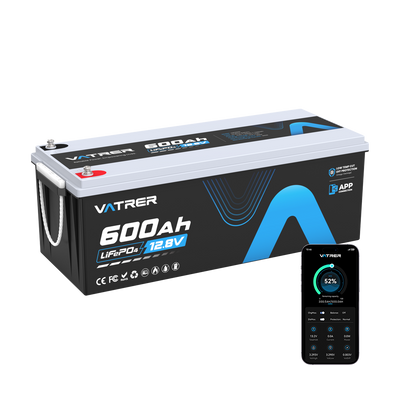
For owners who want easier monitoring, Vatrer 48V lithium golf cart batteries include a dedicated lithium charger, built-in BMS protection, and LCD or app-based battery monitoring. That does not replace troubleshooting, but it can make the battery side of ownership more predictable.
Conclusion
The most common electric golf cart problem is usually a power delivery issue. Start with the battery pack, charger, cables, terminals, and charging port because these parts affect starting, charging, speed, and range.
If the power system checks out, match the symptom to the next likely part. A click with no movement may point to the solenoid. Erratic speed may involve the controller, throttle input, brakes, tires, or motor load. A cart that only moves in one direction usually points to the direction switch or wiring.
Minor corrosion, low tire pressure, a loose charger plug, or a simple lead-acid maintenance issue may be easy to correct. Burning smells, hot cables, repeated cut-outs, solenoid faults, controller issues, and motor problems should be tested by a professional. A careful troubleshooting order helps you fix the real problem instead of replacing parts by guesswork.
Share