Do Golf Cart Batteries Overheat? Causes and Prevention
Reading time: 9 minutes

Share
If you’ve ever stepped off your cart on a hot day, popped the seat, and felt that wave of heat coming off the battery compartment, you’re not being paranoid. Golf cart batteries can overheat, especially during charging, long hill climbs, heavy loads, or summer heat. The tricky part is this: some warmth is normal, but too hot is a different story, and it usually means something in the system is working harder than it should.


Do Golf Cart Batteries Overheat in Normal Use?
A golf cart battery heating up a bit is like your phone getting warm while fast-charging. Energy is moving, some of it turns into heat, and that doesn't automatically mean danger. What most people call overheating, though, is usually one of two things:
- The battery is being charged or discharged outside its comfort zone.
- The electrical connections are wasting energy as heat.
You can understand it as heat is a symptom of resistance or stress. If your cart is pulling a lot of current (steep hills, extra passengers, towing), heat rises. If your battery is old or your cables/terminals are corroded or loose, resistance rises, and heat climbs even faster. Over time, that heat doesn't just feel scary, it can shorten battery life and trigger shutdowns on lithium systems with protection circuits.
To better identify overheating issues, treat normal temperatures as a noticeable but not alarming phenomenon, and consider excessively hot temperatures that are too hot to touch as a danger signal. If you want a quick, cheap upgrade to your judgment, a $20-$30 infrared thermometer takes the guessing out of it.
Common Causes of Golf Cart Battery Overheating
Most golf cart batteries overheat for common reasons, which is actually good news because these problems are usually solvable.
Charging-related causes
- Charger mismatch or wrong charging profile. Using a charger that's not designed for your battery type can push too much voltage/current or charge at the wrong stages. Lithium and lead-acid do not like being charged the same way.
- Charging in a hot, closed-up area. A tight garage corner in August can turn normal charging temperature into heat soak. Charge efficiency drops sharply above about 86°F, and by 113°F heat significantly reduces what the battery can accept.
- Overcharging / never-ending top-off behavior. Lead-acid systems especially can build extra heat during extended charging or improper float conditions.
High-load driving
- Long hills and heavy loads. Hills force higher current draw for longer. If you carry four adults and a cooler, expect more heat, just like a car running high RPM up a mountain.
- Aggressive acceleration or higher speed settings. Higher current spikes create more heat in cables, batteries, and controllers.
Battery age and internal resistance
- Older lead-acid batteries tend to develop higher internal resistance, meaning they waste more energy as heat and sag voltage sooner.
- Imbalanced or degraded lithium cells can also run hotter, and a quality BMS will often step in to limit current or disconnect to protect the pack.
Wiring and connection problems
- Loose terminals. This is a typical case of the terminals getting hot when the golf cart battery is charging. A loose connection acts like a tiny heater.
- Corrosion, undersized cables, or damaged terminal blocks. Resistors heat up. This is one of the quickest causes of local burning symptoms on the battery.
Can Hot Weather Cause Golf Cart Batteries to Overheat?
Yes, and not just because the sun is rude. Hot weather stacks the deck against you in three ways: higher starting temperature, less ability to shed heat, and more stress from summer driving patterns (longer rides, more passengers, more hills more stop-and-go).
First, your battery doesn't start at room temp. If your cart has been sitting outside in direct sun, everything in the battery compartment is already warmed up before you even turn the key. That means the battery gets too hot faster under the same workload.
Second, heat lingers. Battery compartments under seats don't always have great airflow. Once the compartment warms, it can stay warm, especially if you go straight from driving to charging. High-temperature charging notes show how heat reduces charge acceptance as temperatures climb, which can stretch charging time and create more heat exposure.
Third, hot weather often changes behavior. People drive longer, carry more gear, and push the cart harder. If you want one habit that helps more than people expect, let the cart cool down before plugging it in (even 20-30 minutes can help).
Lithium vs Lead-Acid: Overheating Risks Explained
People sometimes talk about lithium overheating like it's a personality flaw. In reality, the difference is simpler: lithium systems usually have smarter protection, and lead-acid systems usually keep going even when they're being abused, until they don't.
Lead-acid overheating tends to show up as:
- Heat during charging (especially if ventilation is poor or charging goes long)
- Faster water loss on flooded batteries
- More corrosion at terminals and cables over time
- Lifespan drop when routinely exposed to high heat (lead-acid hates being cooked)
Lithium overheating is often about:
- High current draw beyond what the battery pack is designed to deliver
- Poor-quality battery with weak thermal protection
- Charging outside safe temperature windows (many lithium systems limit charging when too cold or too hot)
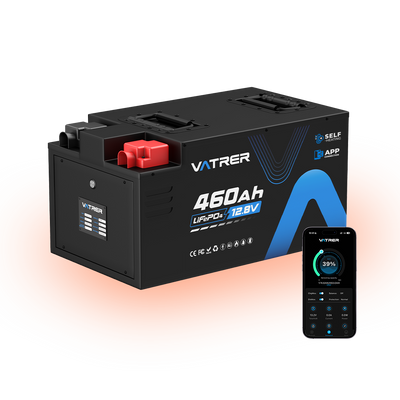
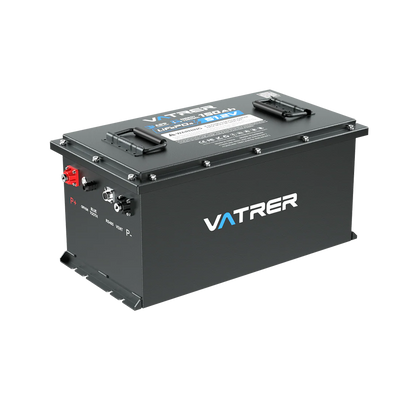
A key advantage of many lithium batteries is the Battery Management System (BMS). For example, the Vatrer 48V 105Ah golf cart battery has a built-in 200A smart BMS with protections including high/low temperature disconnects, overcurrent, short-circuit, and over/under-voltage protection. That doesn't magically remove heat, but it can stop heat from turning into damage.
Golf Cart Battery Temperature ranges
| Battery type | Typical charge temp guidance | Typical discharge temp guidance | Pause and cool trigger |
|---|---|---|---|
| Lead-acid | up to 122° F | up to ~122° F | If the case is pushing 113° F during charge, ventilation/cool-down is smart |
| Lithium | 32–113° F | 4–140° F | If your battery/BMS is limiting or disconnecting due to temp, do not force repair, allow it to cool down and troubleshoot the problem first |
Tip: You don't need a lab-grade sensor. Measuring the battery casing temperature with an infrared thermometer is sufficient to determine if the battery is overheating.
Warning Signs of an Overheating Golf Cart Battery
Most people miss overheating because they're looking for smoke and drama. The real warning signs are quieter.
Physical signs you can feel or smell:
- Battery case is hot enough that you pull your hand away quickly (especially after charging).
- One cable end or one terminal is much hotter than the others (big sign of resistance at that connection).
- Chemical smell near lead-acid batteries, or unusual odor from wiring insulation.
Performance signs while driving:
- The cart feels strong for a minute, then gets sluggish.
- Range drops suddenly (it used to get 18 holes, now it limps home).
- Lights or accessories flicker under load (often voltage sag and high current draw).
Charging behavior signs:
- The charger runs unusually long, shuts off unexpectedly, or gets extremely hot.
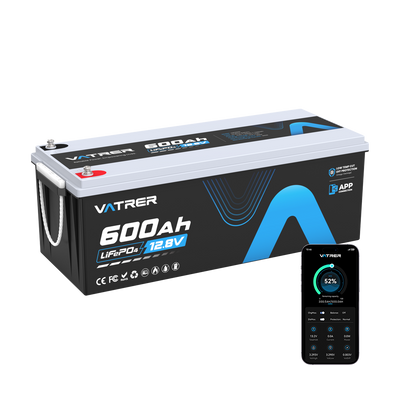
- Lithium systems show BMS protection events (temp disconnect, overcurrent, etc.). So, Vatrer lithium golf cart battery supports monitoring via Bluetooth and a monitor so users can see real-time data like voltage, current, temperature, and SOC.
Tip: If you find localized overheating (like a terminal block, a connector, or a section of cable), first check for electrical connection problems. This is one of the easiest causes of overheating to resolve.
How to Prevent Golf Cart Battery Overheating
Prevention isn't complicated. It's mostly about not stacking stressors on top of each other.
Use habits that reduce heat buildup
- Give the cart breaks on long hill climbs. Even a 2-3 minute pause can drop temps.
- Avoid repeatedly flooring the accelerator when fully loaded.
- If it's blazing hot outside, park in the shade whenever you can (battery compartment heat soak is real).
Charge the smart way
- Charge in a ventilated area, not a sealed shed in the sun.
- Don't drive hard and immediately plug in. Let things cool first.
- Match your charger to your battery chemistry. Lithium batteries require a dedicated LiFePO4 charger, while lead-acid batteries require their own specific charging method.
Keep electrical resistance low
- Tighten terminals to spec (not gorilla tight, just properly tight).
- Clean corrosion and replace damaged cable ends.
- Inspect cables for heat discoloration or stiff insulation, those are clues of past overheating.
Monitor what matters
If you're running lithium, use your battery's monitoring tools to watch temp and current. Bluetooth monitoring and real-time visibility into battery performance, which is exactly what helps catch heat creep early
What to Do If Your Golf Cart Battery Is Overheating
When you suspect overheating, the goal is to reduce risk first, then find the cause.
Step 1: Stop stacking stress
- If you're driving: slow down, reduce load, and stop if the battery compartment is unusually hot.
- If you're charging: unplug and let the system cool in a ventilated spot.
Step 2: Do a quick pattern check
- Is the heat evenly spread across the pack? That points more toward workload/ambient heat/charging behavior.
- Is the heat concentrated at one terminal or cable? That screams bad connection.
Step 3: Inspect the high-probability culprits
- Loose or corroded terminals, damaged lugs, undersized cables
- Charger type and settings (especially after a battery upgrade)
- Battery age and condition (lead-acid sets that are near end-of-life run hotter under load)
Step 4: Know when to stop DIY
- If you see melting insulation, severe swelling, leaking, or repeated BMS temp disconnects, stop using the cart until it's inspected.
- If a lithium battery pack is repeatedly cutting out for temperature, that's not a reset and keep going situation, it's telling you something is wrong.
Quick troubleshooting reference
| Symptom | Most likely cause | First move that usually works |
|---|---|---|
| One terminal/cable end is very hot | Loose/corroded connection, high resistance | Tighten/clean/replace lug, check cable condition |
| Whole pack is hot after charging | Charging in high heat, poor ventilation, wrong charger profile | Cool down, ventilate, and confirm correct charger |
| Gets hot on hills or with passengers | High current draw, undersized cables, aging battery | Reduce load, inspect cables, and consider higher-capacity/stronger-current battery |
| Lithium cuts out (temp protection) | BMS doing its job due to heat/current | Cool-down, review load profile, check for wiring resistance, and verify battery spec |
Can Upgrading Batteries Help Reduce Overheating Issues?
Sometimes the fix is maintenance. Sometimes the fix is that your usage has outgrown your battery system.
If you're running older lead-acid batteries and you're seeing frequent heat, sag, and shorter range, upgrading can help because lithium battery packs tend to deliver steadier voltage under load and often include protection logic that prevents silent damage. That doesn't mean lithium can't overheat, anything can overheat if you push it hard enough.
Additionally, battery functionality is important. For example, the Vatrer lithium golf cart battery features intelligent BMS protection, an IP67 protection rating, and Bluetooth monitoring. The kit also includes a charger to reduce charger incompatibility issues and adds a protective power-off function.
Tip: If your cart regularly hauls heavier loads, climbs hills, or runs long shifts (maintenance fleets, resorts, large communities), choose an upgrade based on continuous discharge capability and monitoring, not just Ah.
Final Thoughts
Golf cart batteries overheat for the same reason any power system overheats: too much stress, too much resistance, or too much heat trapped in the wrong place.
The most effective prevention plan is simple: keep connections clean and tight, charge with the correct setup in a ventilated space, avoid stacking hard driving immediately followed by charging, and use temperature/current monitoring to catch issues early.
Share