How to Charge an 8 Volt Golf Cart Battery?
Reading time: 9 minutes

Share
It's not difficult to charge an 8-volt golf cart battery, but it's simple to make small mistakes that subtly reduce battery life. It's similar to making coffee with the incorrect grind, it still works, but the outcome is inconsistent and weak, and you'll be back troubleshooting sooner rather than later.


Understanding 8-Volt Golf Cart Batteries
Deep-cycle lead-acid (flooded/wet-cell or AGM) batteries make up the majority of 8V golf cart batteries. Unlike a car starter battery, they are made to provide consistent power over several hours. Because deep-cycle batteries dislike being left partially charged for extended periods of time and being cooked by the incorrect charger, charging habits are important.
You hardly ever run an 8V battery on its own in a typical cart setup. Typically, six 8V batteries are connected in series to create a 48V system (6 × 8V = 48V). This is significant because the majority of owners use a 48V golf cart charger made specifically for that system to charge the entire pack rather than just the 8V battery.
Verify what you're working with before proceeding:
- Count the batteries beneath the seat. In a 48V cart, six batteries typically mean 8V each.
- Examine the label, 8V should be prominently displayed.
Don't assume, if the cart is a 36V system, it typically has six 6V batteries, not 8V.
How to Charge an 8-Volt Golf Cart Battery
There are two safe, normal ways people charge 8V golf cart batteries. The right one depends on whether you're charging the pack in the cart (most common) or one battery (less common).
Charging the battery pack
If your cart uses six 8V batteries, you usually charge them as a complete series pack using the cart's charger port.
Step-by-step:
- Park in a ventilated area (especially for flooded lead-acid). Charging can produce heat and gas.
- Turn the cart fully off (key off, run/tow switch to Tow if your model uses it).
- If you just drove hard or climbed hills, let the battery pack cool 20-30 minutes before charging (heat charging is rough on batteries).
- Plug the charger into the cart first, then plug into the wall (this reduces the chance of arcing at the cart port).
- Let the charger run until it automatically finishes (most smart chargers taper current and shut off when done).
- Unplug from the wall first, then from the cart.
What this does right: it keeps the pack balanced as a system and avoids the one weak battery dragging the rest down problem going unnoticed.
Charging a single 8V battery
You'd do this if:
- You suspect one bad battery and want to test it.
- You're maintaining batteries off the cart.
- You have one battery that's consistently lower than the others.
Step-by-step:
- Use a charger that has an 8V lead-acid mode (or an adjustable charger set correctly).
- Connect positive to positive, negative to negative.
- Charge at a conservative rate (details in the charge section below).
- After charging completes, let it rest before you judge voltage, surface charge can mislead you.
Tip: If your pack is old and unbalanced, saving one battery by charging it alone sometimes only buys time. If multiple batteries are weak, you'll still have range and performance issues.
Choosing the Right 8-Volt Battery Charger
The charger question is where most damage happens, although usually unintentionally.
If your cart is a 48V system, use a 48V golf cart charger made for that charging port and battery type.
If you're charging one 8V battery, use an 8V-capable charger made for deep-cycle lead-acid or adjustable and properly set.
So, can you use a 48V charger on 8V batteries?
- On the full pack (six 8V in series): yes, that's what it's designed for.
- On a single 8V battery: no. A 48V charger is not a stronger 8V charger; it's the wrong tool.
Charger Settings
- Battery type: Flooded and AGM use different charge profiles.
- Charge current (amps): For single-battery charging, lower and steadier is safer.
Charging a single 8V deep-cycle battery
5-10A is a safe, battery-friendly range for many common golf cart batteries.
Higher amps can be okay with the right charger and battery, but they increase heat and risk, especially on older batteries.
Voltage & Charging Checks for an 8V Battery
| Situation | What you’re measuring | Typical reference range | What it usually means |
|---|---|---|---|
| Resting voltage (after sitting 1–3 hrs) | Multimeter at battery posts | ~8.3 – 8.5V | Fully charged (normal) |
| Mid-charge surface reading | Multimeter during charge | ~9.0 – 9.8V | Charger is actively pushing current |
| Just finished charging | Immediately after charge ends | Often reads high briefly | Surface charge, don’t judge yet |
| Feels full but drops fast | Resting voltage falls quickly after use | Below expected quickly | Aging battery / sulfation / weak cell |
Notes: These are ranges for common deep-cycle lead-acid 8V batteries. Temperature, battery age, and battery design can shift numbers slightly. The key is consistency across the pack: one battery reading notably lower than the others is the red flag.
Charging to 8-Volt Battery Time and What Affects It
First, a reality check: most people charge a pack, not one 8V battery. A typical overnight charge is normal, especially if the battery was run down. But if charging always takes forever or finishes suspiciously fast, that's a sign you should inspect the batteries.
Factors affecting charging time
- Battery Level: A battery with 50% charge charges faster than a nearly depleted battery.
- Battery capacity (Ah): Larger capacity generally takes longer.
- Charger output (amps): Higher output can charge faster, but only if the battery can accept it safely.
- Battery age/condition: Older batteries charge slower and often never finish cleanly.
- Temperature: Charging in extreme heat or cold changes efficiency and stress.
A practical charging expectation
Light use need a few hours
Deep discharge or older packs need overnight
If you're routinely charging from a very low state-of-charge, that's hard on lead-acid. It's better to charge more consistently rather than running the pack down to the floor.
Tip: Avoid charging immediately after hard driving, let the batteries cool first. Heat is one of the sneaky battery-life killers.
How to Know When the Battery Is Fully Charged
Fully charged should be based on a mix of charger behavior and battery readings, not guesswork.
If you're charging the battery pack with a smart golf cart charger, the simplest indicator is that the charger completes and stops normally. However, it's best to check it regularly, especially when using old batteries.
Clear signs of a proper full charge:
- Charger completes a normal cycle (not stopping early due to an error).
- After resting, each 8V battery reads in a healthy full range (see the table above).
- The battery pack feels consistent: no single battery is noticeably hotter than the others.
Factors that may mislead you:
- Surface charge: right after charging, voltage can look higher than reality.
- One weak battery: the charger is reacting to the pack as a whole, one bad battery can hide until you test individually.
A good habit (especially for maintenance):
After charging, let the cart sit 1-3 hours, then check each battery voltage with a basic multimeter.
If one battery is consistently lower than the rest, treat it as the likely culprit before you blame the charger.
Common Battery Charging Mistakes and How to Avoid Them
Most charging mistakes aren't dramatic. They're the small habits that cause the battery pack to fade early.
Mistakes that shorten life and why
- Using the wrong charger or wrong battery mode. Flooded or AGM matters. A wrong profile can undercharge (sulfation) or overcharge (heat/water loss).
- Charging in a sealed, unventilated space. Lead-acid batteries can vent gas; heat builds up fast.
- Mixing old and new batteries in the same pack. The battery pack acts like a chain, the weakest link drags everything down and gets stressed hardest.
- Letting the pack sit partially charged. This is a common way to accelerate sulfation on lead-acid.
- Ignoring corrosion and loose connections. High resistance heating, poor charging, and abnormal voltage readings can all lead to these situations.
Developing some small habits can be very helpful
- Keep terminals clean and tight.
- Charge consistently instead of running the pack to empty every time.
- If you store the cart for weeks, don't leave lead-acid batteries depleted, keep them maintained at full charge.
What to Do If the Battery Won't Charge
When an 8-volt golf cart battery is not charging, people usually jump straight to the battery is dead. Sometimes that's true, but many times it's a connection issue, a charger issue, or one weak battery pulling the pack into weird behavior.
Start with the fastest checks first:
- Does the charger power on? Try a different outlet. Check the charger fuse (if it has one).
- Is the charging port and plug clean/tight? Burn marks, looseness, or corrosion can prevent charging.
- Measure pack voltage at rest. If the pack is extremely low, some smart chargers refuse to start.
- Test each 8V battery. One battery reading much lower than the others is often the reason charging fails.
Symptoms and solutions for an 8V battery that won't charge
| What you notice | Likely cause | What to do next |
|---|---|---|
| Charger won’t start at all | No AC power / bad outlet / charger fault | Test outlet, check charger indicator, try known-good charger |
| Charger starts then stops quickly | Bad connection or port issue | Inspect port/plug, clean contacts, tighten loose wiring |
| Charger runs forever | Aging batteries or sulfation | Check water level (flooded), test each battery, consider replacement plan |
| Cart runs but range is terrible | One weak battery in the pack | Measure each battery after charge and after a short drive |
| One battery gets hot while charging | High resistance / failing battery | Stop charging, inspect terminals, isolate and test that battery |
Tip: If you find one battery consistently weak, replacing just that one can be a temporary patch, but the rest of an aged battery pack often follows soon after. Many owners plan a full set replacement once two or more batteries show signs.
Considering a Lithium Golf Cart Battery Upgrade
If you're repeatedly dealing with charging quirks, corrosion, watering, and mystery range loss, it's fair to ask whether the hassle is worth it.
A lithium upgrade isn't for everyone, but it's often a logical step for owners who want:
- simpler upkeep
- stable performance, less slowing down as voltage sags
- fewer charging-related headaches
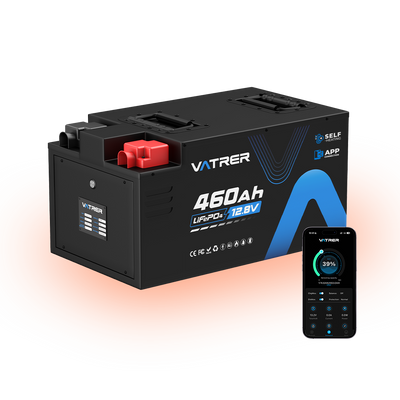
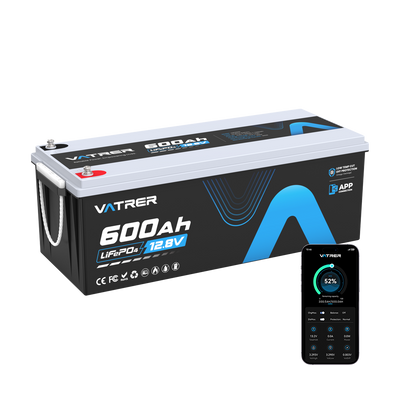
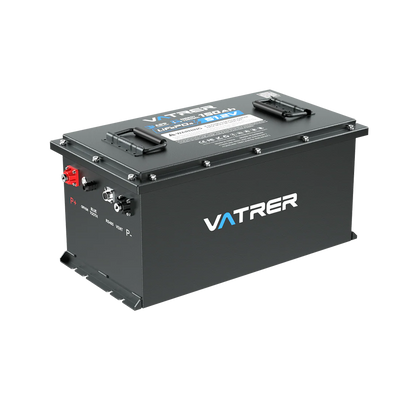
Vatrer Power aims to provide owners with cleaner, more convenient power sources, offering maintenance-free, plug-and-play lithium golf cart batteries with built-in intelligent BMS protection and Bluetooth monitoring, allowing you to actually view voltage, temperature, and charging status without guesswork.
Even if you're not ready for a full upgrade, regularly checking the voltage of individual lead-acid batteries, rather than relying solely on the charger, can prevent most unexpected problems.
Conclusion
To charge an 8-volt golf cart battery correctly, keep the method simple: use the right charger for the system, charge in a ventilated spot, let batteries cool before charging, and verify results with a quick voltage check after resting. Most charging problems don't start with a dramatic failure, they start with small mismatches: a charger profile that doesn't fit, a loose terminal, or one weak battery quietly drifting lower than the rest.
If you frequently use a golf cart, upgrading to a lithium battery will be well worth the investment. Faster charging speeds and a clearer battery level display will greatly enhance your user experience.
Share