How to Charge a Golf Cart Battery: A Comprehensive Guide
Reading time: 6 minutes

Share
Charging a golf cart battery sounds simple, but in real-world use, many owners experience reduced driving range, unusually long charging times, or batteries that fail earlier than expected. In most cases, the root cause is not the battery itself, but how it is charged.
Today's golf carts are used well beyond golf courses. They are common in residential communities, resorts, warehouses, and personal transportation settings. At the same time, battery options have expanded from traditional lead-acid to modern lithium systems. These changes make correct charging practices more important than ever.


How to Charge a Golf Cart Battery Step by Step
Charging a golf cart battery correctly is about following a consistent sequence and avoiding common shortcuts. The steps below apply to most carts used in daily operation.
Step 1: Park and power down the cart
Park the golf cart on a level surface, turn the key off, and engage the parking brake. Charging should never be done while the cart is powered on.
Step 2: Check the charging environment
Charge in a dry, well-ventilated area. Batteries release heat during charging, and proper airflow helps prevent overheating and electrical stress.
Step 3: Connect the charger to the cart first
Plug the golf cart battery charger into the cart's charging port before connecting it to the wall outlet. This allows the charger to correctly detect system voltage before power flows.
Step 4: Plug the charger into the power source
Once connected, the charger should start automatically. Most chargers used on carts from Club Car and EZGO adjust output automatically based on battery condition.
Step 5: Allow the charging cycle to complete without interruption
Avoid unplugging or restarting the charger mid-cycle. Interruptions slow charging and can reduce long-term battery efficiency.
Step 6: Disconnect in the correct order
When charging is complete, unplug the charger from the wall outlet first, then disconnect it from the cart.
During charging, avoid turning the cart on or unplugging the charger repeatedly. Following these steps consistently helps ensure stable charging performance and reduces unnecessary battery wear.
How Long Does It Take to Charge a Golf Cart Battery
Charging time varies depending on battery chemistry, capacity, charger output, and how deeply the battery was discharged. Lead-acid batteries charge more slowly and taper off near full capacity, while lithium batteries maintain a higher charging rate until nearly full.
Typical Golf Cart Battery Charging Time Comparison
| Battery Type | System Voltage | Typical Charging Time | Energy Efficiency |
|---|---|---|---|
| Lead-Acid (Flooded / AGM) | 36V | 8–10 hours | ~70–80% |
| Lead-Acid (Flooded / AGM) | 48V | 8–12 hours | ~70–80% |
| Lithium (LiFePO4) | 36V | 3–5 hours | ~95–98% |
| Lithium (LiFePO4) | 48V | 4–6 hours | ~95–98% |
* Energy efficiency refers to how much input energy is converted into usable stored power.
The data shows that lithium batteries charge significantly faster and waste less energy as heat during charging. If a lead-acid battery consistently exceeds the time ranges shown above, it often indicates aging or reduced capacity rather than normal behavior.
How to Charge Different Types of Golf Cart Batteries
Different battery chemistries require different charging approaches. Treating all batteries the same is a common mistake that shortens battery lifespan.
- Lead-acid batteries perform best when charged fully after each use. Partial charging on a regular basis can lead to sulfation, which permanently reduces capacity. These batteries should not be stored in a partially discharged state, especially for extended periods.
- Lithium batteries follow a different logic. They tolerate partial charging well and do not require full charging after every use. Charging a lithium battery is more like charging a phone, you plug in when convenient rather than waiting for a full discharge. However, lithium batteries must always be charged with a charger that matches their voltage profile.
Charging Rules by Battery Type
| Charging Guideline | Lead-Acid Batteries | Lithium Batteries |
|---|---|---|
| Recommended charge level | Always charge to 100% | 20–100% is acceptable |
| Partial charging | Occasional only | Fully supported |
| Charger compatibility | Lead-acid only | Lithium-specific required |
| Storage charging | Fully charged | 40–60% preferred |
| Risk of overcharging | High without smart charger | Managed by internal BMS |
Therefore, charging discipline matters far more for lead-acid systems, while lithium batteries provide greater flexibility with fewer long-term penalties.
Best Practices to Charge a Golf Cart Battery Safely
Safe charging is not just about plugging in a charger, it is about controlling when, how much, and under what conditions the battery is charged. Two factors matter most in daily use: state of charge and temperature.
From a battery health perspective, most golf cart batteries perform best when they are charged before dropping too low. For lead-acid batteries, it is recommended to recharge once the battery reaches around 50% state of charge. Repeatedly discharging below this level accelerates sulfation and shortens usable lifespan. Lithium batteries are more flexible, but even they benefit from avoiding frequent deep discharges below 10–20%, especially under heavy load.
Charging temperature is equally important and often overlooked. Most golf cart batteries are designed to charge efficiently within a moderate temperature range. As a practical reference, the ideal charging temperature window for both lead-acid and lithium batteries is between 50°F and 86°F. Within this range, chemical reactions remain stable and charging efficiency stays high.
When temperatures rise above 95°F, charging generates additional heat inside the battery, increasing internal stress and long-term degradation. In extreme heat, charging efficiency can drop by 10–20%, and battery aging accelerates. On the opposite end, charging below 32°F is risky for lithium batteries and inefficient for lead-acid batteries. At freezing temperatures, lithium batteries may block charging entirely through internal protection, while lead-acid batteries may accept charge slowly but store significantly less usable energy.
Key safety-oriented charging practices include:
- Avoid charging immediately after heavy use, allow the battery to cool for 20-30 minutes before plugging in.
- Do not charge lead-acid batteries in sealed, unventilated spaces due to heat and gas buildup.
- In hot climates, prioritize overnight or early-morning charging when ambient temperatures are lower.
- For long-term storage, maintain lead-acid batteries at 100% charge, while lithium batteries are best stored at 40-60% charge
So safe charging is about keeping the battery in its comfort zone. Managing charge level and temperature consistently reduces stress, improves daily performance, and can add years to a golf cart battery's service life.
Common Golf Cart Battery Charging Problems and Solutions
Charging problems often look serious but are caused by simple issues. Identifying them early can prevent unnecessary battery replacement.
- Battery does not start charging: Often caused by loose charger connections, dirty terminals, or a charger that cannot detect system voltage.
- Battery charges but never reaches full capacity: Common with aging lead-acid batteries that have lost usable capacity even though charging time increases.
- Charging stops unexpectedly: May indicate overheating, voltage mismatch, or built-in safety protections activating.
- Charger indicator lights behave abnormally: Flashing or error codes usually signal voltage incompatibility or internal charger faults.
- Battery drains quickly after charging: Typically points to internal battery wear rather than charging technique.
As a general guideline, sudden changes in charging behavior usually indicate battery condition or charger compatibility issues rather than error.
Continue reading related content: Why Won't My Golf Cart Battery Charge?
Charging Tips After Upgrading to a Lithium Golf Cart Battery
Upgrading to lithium changes the charging experience in noticeable ways. Charging becomes faster, voltage remains stable throughout use, and routine maintenance is reduced. Most lithium batteries include a Battery Management System (BMS) that protects against overcharge, overheating, and excessive discharge.
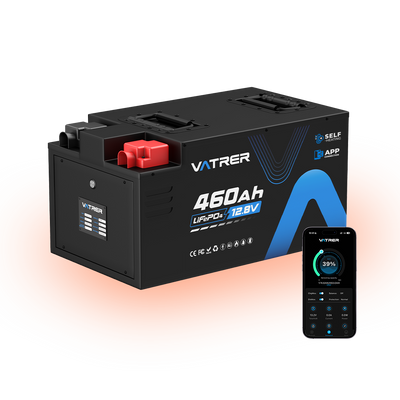
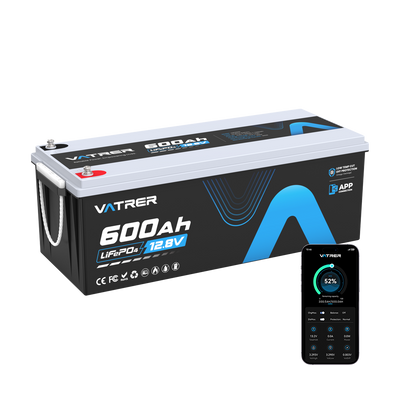
Despite these protections, charger compatibility remains critical. A compatible golf cart's lithium battery charger ensures proper voltage regulation and charging curves. Vatrer's dedicated system simplifies this process by combining the lithium battery with a matching charger and integrated safety control system.
Lithium charging is more forgiving, but correct setup ensures you receive the full performance and lifespan benefits of the upgrade.
Conclusion
Charging a golf cart battery correctly is one of the most effective ways to protect range, reliability, and long-term value. Following the methods above can help you plan battery charging times effectively and adjust charging habits according to battery type, ensuring long-term reliability.
Share
1 comment
Hello on a 48v 105ah gold cart battery , where do I set the max charge to 80%? or do I manualy turn off the charger . Thank you