Common LiFePO4 Battery Charger Problems and How to Fix Them
Author:
LarsonEmma
Published: Oct 07, 2026
Updated: Oct 07, 2026
Reading time: 15 minutes
Table of Contents

Larson Emma
Emma Larson has more than 15 years of experience in the energy storage battery industry. At Vatrer, she researches and writes about lithium batteries and energy storage, translating technical information into clear, practical guidance that helps more people make better battery decisions.
Share
A LiFePO4 battery not charging can come from several places in the same charging circuit. Charger settings are a common cause, but blown fuses, voltage drop, low-temperature BMS protection, deep discharge, and loose connections can create almost identical symptoms.
Start with the basics. Confirm AC power, measure battery voltage, check the charging circuit, and look at BMS status before replacing hardware. The pattern of the failure usually tells you where to look next.

Why Is My LiFePO4 Battery Not Charging?
The exact symptom matters more than the fact that charging failed. A charger that stays completely dark points first to the AC side. A charger that powers up at 0A shifts attention toward the battery, fuse, wiring, or BMS. Early termination and slow charging have different likely causes again.
Charger Has No Power
Check the outlet first, then the plug, extension cord, upstream breaker, and any switched receptacle feeding the charger. A charger with no indicator, display, fan activity, or other sign of power may simply have lost its AC source. Once AC voltage at the charger input is confirmed, an otherwise unresponsive charger becomes a stronger hardware-fault suspect.
Charger Is On but No Current Flows
A powered charger sitting at 0A calls for a battery-terminal voltage check. Normal battery voltage puts an open fuse, disconnect, poor connection, temperature protection, or another BMS charging cutoff higher on the list. Near-zero terminal voltage can occur after deep discharge or an internal protection event. Read voltage directly at the battery terminals instead of relying only on the charger display.
Charging Starts but Stops Early
Early shutdown usually involves one of three things first: the charger reaches its voltage target too soon, the BMS reaches a protection threshold, or one internal cell rises faster than the others. Wiring resistance can create the same symptom because the charger and battery may see different voltages under load. Measure at the moment charging stops; idle measurements often hide the problem.
Charging Is Slow or Intermittent
Slow charging most often traces back to low charger current, active loads consuming part of the output, or thermal derating. Repeated start-stop behavior deserves more attention because loose connectors, unstable AC input, and thermal protection can all interrupt current completely. The timing helps: gradual current reduction suggests heat or normal charge taper, and abrupt 0A events point more toward protection or an open circuit.
LiFePO4 Charger Compatibility and Setting Problems
Compatibility covers more than the voltage printed on the front label. The charger needs the correct system voltage, a suitable LiFePO4 charging profile, an appropriate maximum charging voltage, and a current limit the battery and BMS can accept.
Wrong Charging Profile
LiFePO4 batteries generally charge with a constant-current/constant-voltage, or CC/CV, profile. Current stays controlled during the main charging stage, then the charger holds its target voltage as current tapers. Some lead-acid battery chargers add equalization, desulfation pulses, or prolonged float operation. Those functions can push a LiFePO4 battery outside its intended operating range or repeatedly trigger the BMS. A charger originally sold for lead-acid batteries should only be used if its actual settings fit the LiFePO4 battery specification.
Incorrect System Voltage
Battery and charger voltage have to match at the system level. A 12V LiFePO4 battery is typically 12.8V nominal, a 24V battery 25.6V nominal, and a common 48V battery 51.2V nominal. Higher-voltage traction batteries vary by series count, so a 72V label alone isn't enough to choose the charger.
Typical LiFePO4 Charging Voltage Reference
| Battery system | Typical nominal voltage | Common charging range |
|---|---|---|
| 12V LiFePO4 battery | 12.8V | 14.2–14.6V |
| 24V LiFePO4 battery | 25.6V | 28.4–29.2V |
| 36V LiFePO4 battery | 38.4V | 42.6–43.8V |
| 48V LiFePO4 battery | 51.2V | 56.8–58.4V |
| 72V system | Depends on series count | Follow the battery specification |
These ranges are useful for diagnosis, but the battery manufacturer's specified charging voltage should control the actual charger setting.
Charging Voltage Set Too High or Low
A low setting can make the charger enter its completion stage before the battery reaches the intended state of charge. Set the voltage too high and one or more internal cells may approach the BMS high-voltage limit, causing an abrupt cutoff. Adjustable chargers deserve a settings check after any battery change because the previous chemistry or voltage profile may still be stored.
Charging Current Mismatch
Charging current mainly affects two things: time and heat. A low current lengthens the charge cycle; excessive current can exceed the battery or BMS charging limit and trigger protection. Daily charging commonly falls around 0.2C to 0.5C for many LiFePO4 batteries. That means 20A to 50A for a 100Ah battery. Some batteries support higher rates, so the specified recommended and maximum charging current still takes priority.
If your existing charger is incompatible, Vatrer offers LiFePO4 battery chargers suitable for various system voltages, before replacing your current charger, please ensure that both the voltage and the permissible charging current match the requirements.
BMS Protection That Stops LiFePO4 Battery Charging
The Battery Management System can intentionally block charging even when the charger is operating correctly. Temperature, charging current, battery voltage, and internal cell voltage all influence that decision. Bluetooth or display-based BMS data can shorten troubleshooting considerably because it shows the protection reason directly.
Low-Temperature Protection
Standard LiFePO4 batteries generally shouldn't be charged below 32°F because lithium plating can occur on the anode. Common upper charging limits are around 113–122°F, the upper charging-temperature limit varies by battery design, so follow the battery manufacturer's specified range. A cold battery may still show normal terminal voltage yet accept no charging current because the BMS has disabled charging. Warm the battery into its permitted range and test again. Don't bypass the low-temperature cutoff.
High-Temperature and Over-Current Protection
High battery temperature can shut charging down just as effectively as cold weather. Excessive charger current can do the same. If the BMS reports either condition, correct the cause first: reduce charging current, improve battery ventilation, or move the battery away from a high-heat location. Repeated resets only reproduce the same protection event.
Over-Voltage Protection
An over-voltage event may come from total battery voltage or one internal cell reaching its limit ahead of the rest. That distinction matters. Charger voltage can look acceptable at the battery level and still trip the BMS if cell balance has drifted. Check the charger setting first, then individual cell voltages if the BMS exposes them.
Low-Voltage Sleep Mode
Deep discharge can put a LiFePO4 battery into low-voltage protection. Depending on the BMS design, terminal voltage may fall very low and a smart charger may fail to recognize that a battery is connected. The charger can then remain at 0A even though its hardware is fine. A battery that reached this state should be recovered according to the battery manufacturer's procedure rather than by repeated connection attempts.
Wake-Up Charging
A charger with wake-up or activation capability can provide controlled recovery output when normal battery detection fails. Use that feature only within the battery's stated recovery limits. Swelling, burned areas, unusual odor, or a fault that immediately returns after recovery are reasons to stop. High-current jump-starting from another battery is also unsuitable because inrush current can damage the BMS and cabling.
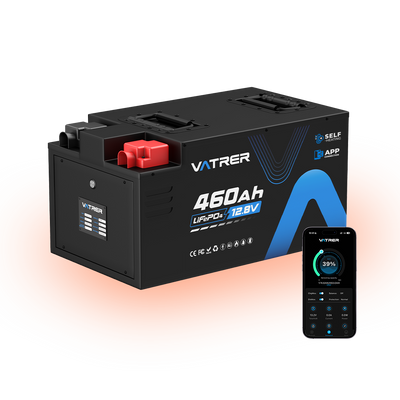
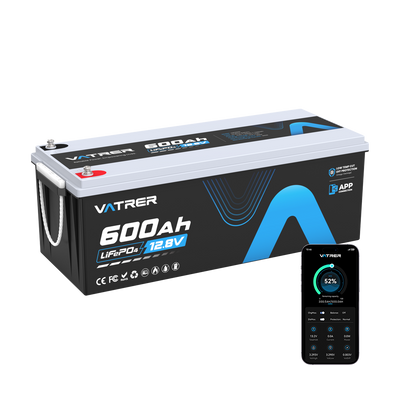
For systems operating in cold environments, addressing temperature issues directly at the battery level is far more advantageous than repeatedly waiting for ambient conditions to improve. The Vatrer 12V self-heating LiFePO4 battery is available in various capacities ranging from 100Ah to 600Ah, if your RV or off-grid system frequently experiences charging interruptions due to low temperatures, this type of battery effectively ensures that the battery heats itself in cold conditions and resumes charging.
Wiring and Connection Problems That Block Charging
External wiring problems become especially likely when the battery and charger both appear normal on their own. Fuses, breakers, cable lugs, disconnects, and plug contacts can open the circuit completely or add enough resistance to reduce charging current.
Fuse and Breaker Faults
Measure on both sides of the fuse or breaker instead of judging by appearance alone. Battery voltage on one side and no voltage on the other isolates the fault quickly. Replace a blown fuse with the same type and rating. If the replacement opens immediately, stop there. A short circuit, damaged cable, or reverse-polarity problem needs to be found before another fuse goes in.
Reverse Polarity
Protected chargers often refuse to start when positive and negative are reversed, and some systems blow a fuse as soon as the connection is made. Confirm charger positive goes to battery positive and charger negative to battery negative. Quick-connect plugs deserve a pinout check too because identical housings don't always mean identical wiring.
Loose or Corroded Connections
Loose terminals usually become more obvious as charging current rises. Resistance creates voltage drop and heat, so a connection that looks fine at 2A may become a problem at 30A or 50A. Corroded contacts, weak crimps, under-tightened lugs, and worn plug terminals can all cause fluctuating current or localized heating.
Cable and Connector Voltage Drop
Long cable runs and undersized conductors waste voltage between the charger and battery. Compare voltage at the charger output with voltage directly across the battery terminals during charging. A meaningful gap under load points to resistance in the path. Check one section at a time—cable, fuse holder, disconnect, connector, then terminal—to locate the drop.
LiFePO4 Battery Stops Charging Before Full
A battery that accepts current and then stops at an unexpectedly low SOC needs a different diagnosis from a battery that never starts charging. Charge termination voltage, internal cell balance, wiring drop, and SOC estimation move to the front of the list.
Cell Imbalance
Internal cells don't always reach the top of charge together. One cell can rise faster and touch the BMS high-voltage threshold while the others are still lower. Charging then stops for the whole battery. That pattern can look like lost capacity even though the main issue is imbalance. Cell-level monitoring helps because the same cell repeatedly peaking first is far more informative than the battery's overall voltage alone.
Low Charging Voltage
A charger with a target voltage below the battery's required range can taper or terminate too early. Measure voltage at the battery terminals near the end of the charge cycle and compare it with the battery specification. If the charger reaches its own limit before the battery reaches the intended charging voltage, the setting or charger needs to change.
Charging-Circuit Voltage Drop
Resistance in the cable path can make the charger reach its voltage target before the battery does. For example, if the charger is at 14.6V but the battery sees only 14.2V under load, the charger may begin tapering based on its own measurement. Higher current makes the difference easier to detect because voltage loss rises with current.
SOC Reading Errors
A percentage display is an estimate, not a direct measurement of stored energy. SOC can drift after deep discharge, long storage, or repeated partial cycles if the monitoring system hasn't had a recent calibration point. Compare SOC with battery voltage, charging current, BMS status, and recent operating history before treating a percentage mismatch as a charger fault.
LiFePO4 Battery Charging Too Slowly
A slow charge is usually easier to diagnose because the system is still transferring energy. Compare the amount of capacity being replaced with the actual current reaching the battery, then look for loads or thermal limits that reduce that current.
Charger Current Is Too Low
Charging time follows the amount of capacity that needs to go back into the battery. A 12V LiFePO4 battery is 12.8V nominal. If a 100Ah battery is at 50% SOC, about 50Ah needs to be replenished. With a 20A charger:
Estimated charging time = Capacity to replenish ÷ Charging current
50Ah ÷ 20A = 2.5 hours
That 2.5-hour figure describes the ideal main charging period. Actual charging takes longer because current tapers near the top and some power is lost through the charger and wiring.
Loads Reduce Net Charging Current
Charger rating and battery charging current aren't always the same number. A 30A charger supplying a system with 12A of active DC loads leaves roughly 18A for the battery. Refrigerators, pumps, lighting, fans, and inverter standby or AC loads can all extend charging time. Measure current at the battery if you need the real number.
AC Input Limits Charger Output
Shore power, generators, shared circuits, and long extension cords can all restrict the charger's AC input. Check AC voltage at the charger while it's working hard, not only with the charger unplugged. A source that looks fine with no load can sag once a high-current charger starts drawing power.
Thermal Derating Reduces Output
Many chargers reduce current as internal temperature rises. A unit may start close to rated output and then back down after several minutes in a hot compartment. Blocked airflow, high ambient temperature, and sustained operation near maximum current make this more likely. If output recovers after the charger cools, thermal derating deserves more attention than the battery.
Current Tapers Near Full Charge
CC/CV charging naturally reduces current near the top of charge. During the constant-current stage, the charger may stay close to its rated output. Once target voltage is reached, voltage remains controlled and current falls. Seeing 40A at mid-SOC and only a few amps near full charge can be completely normal.
LiFePO4 Charger Overheating or Cycling On and Off
Charger overheating usually shows up through one of three patterns: output current falls, the cooling fan runs hard, or charging shuts down and restarts after a cooling period. Electrical connection problems can imitate the same behavior, so temperature alone doesn't settle the diagnosis.
Poor Ventilation
Chargers with active cooling need open intake and exhaust paths. Enclosed RV compartments, storage bins, engine-adjacent spaces, or direct sunlight can trap enough heat to force current reduction. Follow the charger's clearance requirements and give hot air somewhere to leave the compartment.
Cooling Fan Behavior
Many charger fans are controlled by load or temperature. No fan at light load can be normal. A fan that never starts during sustained high-current operation, followed by rising case temperature and falling output, points more strongly toward a cooling-system problem.
Thermal Shutdown
Thermal protection often creates a recognizable sequence: normal output, reduced current, complete stop, cooling, then restart. Cooler ambient air changing that pattern is a useful clue. Check vent blockage, fan operation, surrounding temperature, and whether the charger is spending long periods near its rated limit.
Intermittent Connections
A high-resistance connector can heat up, expand, lose contact, then reconnect after it cools. Broken conductors near a crimp can also cut in and out as the cable moves. If the charger keeps cycling in a cool, well-ventilated location, watch voltage on both sides of suspect connectors during the failure.
How to Test a Faulty LiFePO4 Battery Charger
Confirming a charger fault takes a few measurements under real operating conditions. AC input should be stable, DC output should behave according to the charger design, and the battery-side voltage should track closely enough that wiring losses don't distort the result.
Verify AC Input
Measure the outlet with the charger operating if possible. Check the breaker, plug, removable AC cord, and any extension connection for heat or intermittent contact. A weak connection can supply enough voltage for the display to light up and still fail once charging current rises.
Check DC Output
Follow the charger manual when measuring output. Some basic chargers show their target voltage with no battery connected. Many smart chargers wait until they detect battery voltage before enabling DC output, so an open-circuit 0V reading can be normal for that design. Test the charger under the conditions it was built to use.
Compare Voltage Under Charge
Monitor charger output voltage and battery-terminal voltage during charging. If charger output collapses even though AC input stays stable and charging current isn't excessive, internal regulation may be failing. If charger voltage remains correct but battery voltage is much lower, inspect the fuse, cable, disconnect, and connectors.
Use a Known-Good Charger
A substitution test can isolate the fault quickly. Use another LiFePO4 charger that matches the same battery system voltage and allowed charging current. Normal charging with the second unit points strongly toward the original charger. The same failure with both chargers sends the diagnosis back toward the battery, BMS, or charging circuit.
When to Stop Using or Replace a LiFePO4 Charger
Settings, fuse checks, voltage measurements, and connector inspection are reasonable field troubleshooting steps. Smoke, arcing, melted components, and internal mains-voltage repairs are different. Those conditions move the problem out of routine troubleshooting.
Unsafe Charger Conditions
Stop using the charger if any of the following appears:
- Smoke or burning odor: Disconnect AC power and keep the charger out of service.
- Electrical arcing: Don't reconnect until the damaged component or connection is identified.
- Melted housing: Heat damage calls for service or replacement.
- Damaged insulation: Exposed conductors need repair before power is restored.
- Burned connector contacts: Replace the damaged connector and inspect the mating side.
- Repeated abnormal overheating: End the test if thermal protection keeps returning under normal ventilation.
Opening the charger exposes mains-voltage circuitry and stored electrical energy. Internal repair belongs with qualified service personnel.
Confirmed Charger Failure
Replacement makes sense once external causes have been ruled out. Strong evidence includes stable AC input with no usable DC output, output voltage that repeatedly collapses or drifts outside the intended range, persistent shutdown at normal ambient temperature, or a known-good compatible charger working normally on the same battery.
Problems That Don't Require Charger Replacement
A low-temperature BMS cutoff, low-voltage sleep state, blown fuse, tripped breaker, loose connector, incorrect charging setting, or cell imbalance can stop charging without any charger hardware failure. Fixing the actual cause often returns the existing charger to normal operation immediately.
Manufacturer Support Conditions
Persistent BMS faults, failed recovery from low-voltage protection, physical battery damage, or a diagnosis that requires opening the charger or battery enclosure should move to manufacturer support. Record the AC input voltage, charger output voltage, battery terminal voltage, charging current, battery temperature, and any BMS fault code before contacting support; those readings make the next diagnostic step much more specific.
Measurements should drive the replacement decision. A stable power source, correct charging profile, low-resistance wiring, and a BMS that isn't blocking charge leave much less room for guesswork about the charger itself.