Is a Bluetooth Golf Cart Battery Worth It? Pros & Cons
Reading time: 13 minutes

Share
A golf cart battery with Bluetooth can be worth the extra cost when you regularly check remaining charge, drive longer routes, or troubleshoot battery problems yourself. The app gives you access to information that a basic dashboard meter usually cannot show, including current flow, battery temperature, individual cell voltage, and BMS protection status.
The feature is less valuable if your trips are short, charging is always nearby, and your cart already has an accurate LCD battery monitor. Bluetooth improves access to battery data. It does not make the battery faster, stronger, or larger.
How Does a Bluetooth Golf Cart Battery Work?
A Bluetooth golf cart battery has a wireless module connected to its battery management system, or BMS. The BMS monitors the lithium cells and controls charging and discharging. The Bluetooth module sends selected BMS information to an app on your phone.
Depending on the battery and app, you may be able to view:
- State of charge, usually shown as a percentage
- Total battery voltage
- Charging and discharging current
- Remaining amp-hours
- Battery temperature
- Individual cell voltages
- Cycle count
- Active warnings
- Charge and discharge status
The BMS does not need your phone to protect the battery. It can still stop charging, block discharge, or respond to excessive current while Bluetooth is disconnected. The app simply gives you a clearer view of what the BMS is already doing.
Not every golf cart battery Bluetooth app provides the same information. Some show only SOC, voltage, current, and temperature. Others include cell-level data, protection records, or limited BMS controls.
Bluetooth often appears in the same product description as a lithium conversion, so its role can become blurred. It does not directly increase:
- Battery capacity
- Continuous discharge current
- Motor output
- Acceleration
- Hill-climbing performance
- Charging speed
- Driving range
Those performance changes come from the battery chemistry, capacity, BMS rating, and overall system design.
A typical 48V lead-acid golf cart may use six 8V batteries weighing roughly 60 to 70 lbs each. The full battery bank can weigh about 360 to 420 lbs. A single 51.2V 100Ah LiFePO4 battery often weighs around 90 to 130 lbs.
That conversion may remove more than 200 lbs from the cart:
360 to 420 lbs − 90 to 130 lbs = roughly 230 to 330 lbs of weight reduction
Lower weight can improve acceleration, hill response, and suspension load. Bluetooth has no part in that change. The golf cart lithium battery creates the weight advantage.


Benefits of a Bluetooth Golf Cart Battery
The biggest benefit is better visibility. Instead of relying on a few dashboard bars, you can see how the battery behaves while charging, driving, climbing hills, or sitting in storage.
Better SOC and Range Planning
LiFePO4 batteries hold a relatively steady voltage through much of their discharge cycle. Because of that flat voltage curve, a simple voltage-based gauge may stay high for a long time and then fall quickly near the lower end of capacity.
A Bluetooth app usually calculates state of charge using current data collected by the BMS. This gives you a more useful percentage than a basic voltage meter, although it should still be treated as an estimate.
Take a common 48V lithium golf cart battery with a nominal rating of 51.2V and 100Ah:
51.2V × 100Ah = 5.12 kWh
At 40% SOC, the battery may have about:
5.12 kWh × 0.40 = 2.05 kWh remaining
That number does not produce one guaranteed driving distance. Passenger weight, tire pressure, speed, hills, temperature, motor efficiency, and controller settings all affect energy use.
The app becomes more useful after you compare several normal trips. You might find that a regular neighborhood route uses 18% of the battery, while the same distance on steeper roads uses 27%. That pattern gives you a much better basis for planning than a generic mileage claim.
Useful checks include:
- Review SOC before a longer drive.
- Compare energy use on different routes.
- Watch for unusually high consumption.
- Decide whether the cart needs charging that evening.
- Track how temperature changes affect usable capacity.
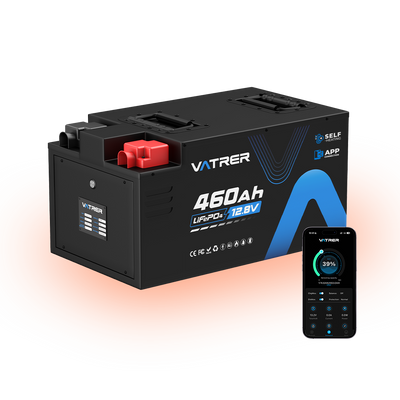
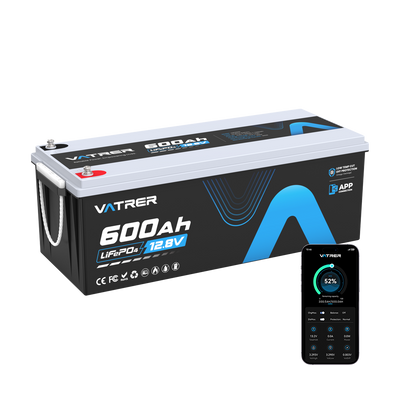
Vatrer Bluetooth monitoring is intended to give you this operating picture without opening the battery compartment. We recommend using the percentage together with your own trip history rather than treating the number as an exact mileage forecast.
SOC may drift after repeated partial charges. A full charge can help some BMS systems correct the estimate, but the exact process depends on the battery. Follow the calibration guidance provided for that model.
Easier BMS Troubleshooting
A golf cart can shut down for several reasons that feel identical from the driver’s seat. The battery may be nearly empty. The controller may demand too much current. A cell may reach its lower voltage limit. Temperature protection may also stop charging or discharge.
Bluetooth data can separate these conditions.
Common BMS messages include:
- Low-voltage protection: One or more cells reached the discharge limit.
- Overcurrent protection: The cart demanded more current than the BMS allowed.
- High-temperature protection: Battery or BMS temperature exceeded its limit.
- Low-temperature charge protection: Charging was blocked near or below 32°F.
- Charge disabled: The BMS temporarily stopped incoming current.
- Discharge disabled: The BMS opened the discharge circuit.
- Cell imbalance warning: The difference between cell voltages became unusually large.
Current readings are particularly useful on modified carts. A high-output controller may pull a sharp current spike during acceleration or a long hill climb. If the app records a protection event at the same moment, the problem may be an undersized BMS rather than a damaged motor or charger.
Cell-voltage data can also help, but one unusual reading should not trigger an immediate diagnosis. Voltage differences change with SOC, current, temperature, and balancing activity. Repeatedly seeing the same cell fall below the others is more meaningful than a single small variation.
Screenshots make technical support more productive. A record showing total voltage, minimum cell voltage, temperature, current, and protection status gives far more context than saying the cart suddenly stopped.
More Convenient Battery Checks
Bluetooth saves you from lifting the seat or removing covers every time you want to inspect the battery. A quick app check can confirm whether the charger is working, whether charging has finished, or whether the battery is still warm after a demanding drive.
You may use the app to:
- Confirm charging current after plugging in the charger
- Check whether the battery reached full charge
- Review temperature after carrying passengers uphill
- Compare cell voltages near the top of charge
- Check several carts without opening each battery compartment
Multiple-cart management depends heavily on the app design. Device naming, fast switching, and saved battery profiles can make the feature practical. A poorly organized app may turn the same task into repeated pairing and manual identification.
Drawbacks of Bluetooth Golf Cart Batteries
The battery may work perfectly while the wireless connection does not. Bluetooth adds convenience, but it also creates another point of dependence on software, phone permissions, and long-term app support.
App and Connection Problems
Common connection issues include:
- The battery does not appear during scanning.
- The battery must be awakened by charging or discharging first.
- The app disconnects after the phone screen locks.
- Automatic reconnection fails.
- Android and iOS versions behave differently.
- Location permission is required for Bluetooth scanning.
- A phone operating-system update affects compatibility.
- The manufacturer stops updating the app.
Normal Bluetooth range is limited. You may get around 10 to 30 ft outdoors, but the metal frame, battery compartment, seat base, and nearby electrical components can shorten that distance.
You should not need an internet connection for basic battery monitoring. Charging, discharging, and BMS protection should also continue without a phone. If a product depends on cloud access for simple local data, consider what happens if the service later changes.
Look at the live app listing before buying. Check the most recent update date, supported operating systems, current ratings, and manufacturer troubleshooting pages.
SOC and Data May Be Inaccurate
The app displays measurements and estimates from the BMS. These numbers can be useful without being perfectly exact.
SOC is often calculated through coulomb counting. The BMS measures current entering and leaving the battery, then updates the estimated remaining capacity. Small errors can accumulate over many partial charge cycles.
The percentage may drift because of:
- Incomplete charging cycles
- Incorrect configured capacity
- Current-sensor calibration error
- Parasitic loads
- Firmware settings
- Ongoing cell balancing
- Battery aging
Voltage and temperature may also differ slightly from readings taken with separate test equipment. Small differences are normal within the limits of the sensors.
Patterns matter more than isolated numbers. A percentage that jumps from 35% to 10%, a shutdown that repeatedly happens at the same SOC, or one cell that consistently drops faster deserves closer attention.
It May Not Justify a Higher Price
Bluetooth should not outrank the electrical specifications that determine whether the battery can run your cart.
If two batteries have comparable capacity, current ratings, warranty, and charger compatibility, a small Bluetooth premium may be reasonable. A price difference of about 5% is easier to justify than a 10% to 15% increase, especially if the extra money could purchase more usable capacity or a stronger BMS.
Compare these items before paying for the app:
- Usable battery capacity
- Continuous discharge current
- Peak current and its allowed duration
- Charger compatibility
- Low-temperature charging protection
- Battery dimensions
- Warranty exclusions
- Replacement support
A well-sized battery without Bluetooth is the better choice if the Bluetooth model cannot meet the cart’s current demand.
Security deserves a quick review too. Check whether the app requires a pairing password, whether another nearby phone can connect without approval, and whether users can change critical BMS settings. Most drivers need monitoring access, not unrestricted parameter control.
Standby draw varies by design. A battery that keeps its BMS and Bluetooth module awake during storage may slowly lose charge. Sleep mode, a physical power switch, or a manufacturer-specified storage procedure can reduce that issue.
Bluetooth App vs LCD Battery Monitor
A Bluetooth app gives you deeper information. An LCD display gives you faster access while driving. One does not fully replace the other.
Bluetooth App and LCD Monitor Comparison
| Comparison point | Bluetooth app | LCD battery monitor |
|---|---|---|
| Battery percentage | Usually shown | Usually shown |
| Total battery voltage | Usually shown | Often shown |
| Charge/discharge current | Common | Depends on the monitor |
| Individual cell voltage | Available on some apps | Rarely available |
| BMS protection alerts | Often shown | Usually limited |
| Temperature data | Common | Not always available |
| Phone required | Yes | No |
| Easy to view while driving | No | Yes |
| Connection risk | App or Bluetooth issues | Usually stable if wired correctly |
| Installation | Usually built into the battery | May require wiring and dash mounting |
| Historical data | Available on some apps | Rare |
| Multiple battery access | Possible on some platforms | Usually one battery per display |
An LCD display is the practical choice if you mainly want a visible SOC reading while driving. Bluetooth offers more value when you need current data, temperature, cell readings, and BMS protection details.
Using both can make sense. The display handles quick checks from the driver’s seat, while the app supports diagnosis after the cart stops. Paying for both only makes sense if each one provides reliable data.
Is a Bluetooth Golf Cart Battery Worth It for You?
Your driving habits and maintenance style determine how often the feature becomes useful.
Bluetooth Is Usually Worth It If
Bluetooth tends to earn its cost when several of these conditions apply:
- Your regular routes use a large part of the battery capacity.
- The cart travels far from the charger.
- You drive on public low-speed roads.
- You perform your own lithium conversion or electrical troubleshooting.
- The cart has a modified motor or controller.
- You need BMS protection information.
- You want to monitor individual cell voltages.
- Several golf carts share the same property.
- The price difference is small.
- Technical support accepts app screenshots and battery logs.
A modified cart can place far more demand on a battery than a stock setup. A motor controller capable of 400A may exceed a battery that supports 200A continuously, even if both products are marketed for 48V golf carts. Bluetooth can reveal the current spike, but it cannot compensate for the mismatch.
You Can Skip Bluetooth If
The feature may see little use in a simple, predictable setup:
- Trips are short and follow the same route.
- Charging is available after every drive.
- An LCD monitor already provides a dependable SOC reading.
- You do not need cell-level data.
- You prefer not to depend on a phone app.
- The Bluetooth version costs noticeably more.
- A non-Bluetooth model offers better capacity or current ratings for the same budget.
A non-Bluetooth lithium battery still needs a proper BMS. Overcharge, over-discharge, overcurrent, short-circuit, and temperature protection remain essential.
What to Check Before Buying
Start with the electrical requirements of the cart. The app should be considered only after the battery can safely supply the required voltage and current.
Check the Battery Specifications First
Many 48V golf carts use a 51.2V nominal LiFePO4 battery made from 16 cells in series. Compatibility still depends on the controller, charger, contactor, wiring, accessories, and voltage limits.
Battery Specifications That Matter More Than Bluetooth
| Specification | Practical reference point | Why it matters |
|---|---|---|
| Nominal voltage | 51.2V is common for a 48V lithium system | Must match the cart and controller |
| Full-charge voltage | About 58.4V for a 16-cell LiFePO4 battery | Charger must follow battery requirements |
| Capacity | 100Ah at 51.2V equals 5.12 kWh | Determines stored energy |
| Continuous current | 200A at 51.2V equals about 10.2 kW | Must support sustained motor demand |
| Peak current | Rating should include a time limit | Supports acceleration and short climbs |
| Cold-charge cutoff | Often near 32°F or 0°C | Protects cells during low-temperature charging |
| Battery weight | Often 90 to 130 lbs for a 100Ah-class unit | Affects handling and installation |
| Physical size | Measure tray space and cable clearance | Prevents installation conflicts |
| Warranty | Review term, exclusions, and claim process | Headline years do not show full coverage |
A 51.2V 100Ah battery may store enough energy for your route but still have an inadequate current rating for a modified controller. Capacity answers “how long.” Current rating answers “how hard.”
For example:
51.2V × 200A = 10.24 kW
That figure represents approximate electrical input at the battery under a 200A load. It does not equal the motor’s mechanical output because the controller, motor, wiring, and drivetrain introduce losses.
If the controller can draw 400A, check both the battery’s peak-current limit and the allowed duration. A brief 400A rating may handle acceleration but still trip during a long, steep climb.
Check the App and Available Data
Ask what the app actually displays before ordering. “Bluetooth enabled” does not tell you whether the software includes cell voltage, fault history, or only a simple SOC screen.
Confirm that:
- The app supports your current Android or iOS version.
- Basic monitoring works without Wi-Fi or mobile data.
- SOC, voltage, current, and temperature are visible.
- Cell voltages are available if you need detailed diagnosis.
- Protection messages use clear descriptions.
- Multiple batteries can be named if you manage several carts.
- Pairing includes a password or another access control.
- Critical settings cannot be changed accidentally.
- Connection and reset instructions are published.
The best interface is not always the one with the most screens. You should be able to find SOC, charging current, and active warnings within a few taps.
Check Warranty and Support
Bluetooth data becomes much more useful when technical support knows how to interpret it.
Review four areas before buying:
- Coverage: Check capacity limits, exclusions, shipping costs, labor, and transfer rules.
- App support: Look for current download links and troubleshooting instructions.
- Technical diagnosis: Confirm that support can review voltage, current, temperature, and cell screenshots.
- Replacement process: Find out what evidence is required and where replacements ship from.
Conclusion
Use Bluetooth as a deciding feature only after the battery meets the cart’s electrical demands. Check nominal voltage, usable capacity, continuous current, peak-current duration, charger requirements, cold-weather protection, physical fit, and warranty coverage first.
A small price premium is reasonable if you expect to use SOC tracking, BMS alerts, cell readings, or multi-cart monitoring. A large premium is harder to support when the same money could buy more capacity or stronger discharge performance. Choose the app for better information. Choose the battery specifications for how the cart will actually drive.
Share